59 features · 10 with a walkthrough you can watch

Everything Partner does

The front page has the highlights. This is the whole list — what each part does, how it behaves, and what it looks like on the real screen. If you are checking whether your particular problem is covered, it is on this page.

Win the work

From the first phone call to a signature, without losing your evening to it.

Estimates that price the way you price

A priced, itemized estimate in minutes — using your rates, not a generic markup.

Build line by line from your own catalog, or let the AI draft the whole thing from a description. Either way the numbers run through your configured markups, your waste factors and your operating overhead, so what comes out is the price you would have written yourself. Every total recomputes to the cent as you edit.

  • Line items by trade, with cost and price tracked separately
  • Your markups and waste factors applied automatically
  • Good / better / best tiers and optional add-ons the client picks
  • Paste a list of lines straight in from a spreadsheet
  • A minimum-margin floor that blocks approval on a losing estimate

80-second walkthrough
Proposals clients sign on their phone

Send a link; they read it, pick their options, and sign.

One click turns an estimate into a branded proposal on a public link — no login, no PDF attachment nobody opens. The client picks their tier and any add-ons, signs on the page, and the signature comes back to you with a draft invoice already waiting.

  • Public signable link with your logo and colors
  • Client-selectable options and allowances
  • Signature captured with a timestamp and an audit trail
  • Approved proposal drafts the invoice automatically
  • Binder-ready executive export when a job needs the long version

Blueprint takeoff

Drop in the plans and get a scoped, priced starting point.

A multi-phase agent reads the drawing set: a vision pass plans the scope, then per-trade estimators work each CSI division. It comes back as line items you edit, not a black-box number — and it tells you what it could not read rather than filling the gap with a guess.

  • Vision planner followed by per-scope estimators
  • Quantities carried into a real, editable estimate
  • Says plainly what it could not read on the sheet
  • Works from a photo of a plan as well as a PDF

Aerial property measurements

Roof squares, pitch and siding area from the address — before you drive out.

Type the job address and get a roof model: squares, pitch, a facet table and a siding estimate, plus an in-house edge takeoff that traces ridges, hips, valleys, eaves and rakes into a straight-line wireframe over the satellite image. Reports that are limited by old imagery or tree cover say so on their face instead of quietly reading low.

  • Roof squares, pitch, facets and wall area from the address
  • Edge takeoff wireframe with a scale-matched satellite underlay
  • Detects every structure on the property, not just the house
  • Public lidar fills in where the surface model is missing
  • Branded PDF report you can hand to the client

Skipper — photo and chat to estimate

Describe the job, or send a photo, and get a priced draft back.

Skipper is the estimating assistant: talk to it the way you would talk to a lead carpenter, or send a picture of what you are looking at. It drafts from your catalog and your rates, and it asks rather than assumes when the scope is genuinely ambiguous.

  • Photo, chat or dictated description as the input
  • Prices from your catalog and configured rates
  • Knows construction materials and freight lane rates
  • Every draft lands as an editable estimate, never an auto-send

Bid desk

Every invitation to bid in one place, with what it demands of you quoted.

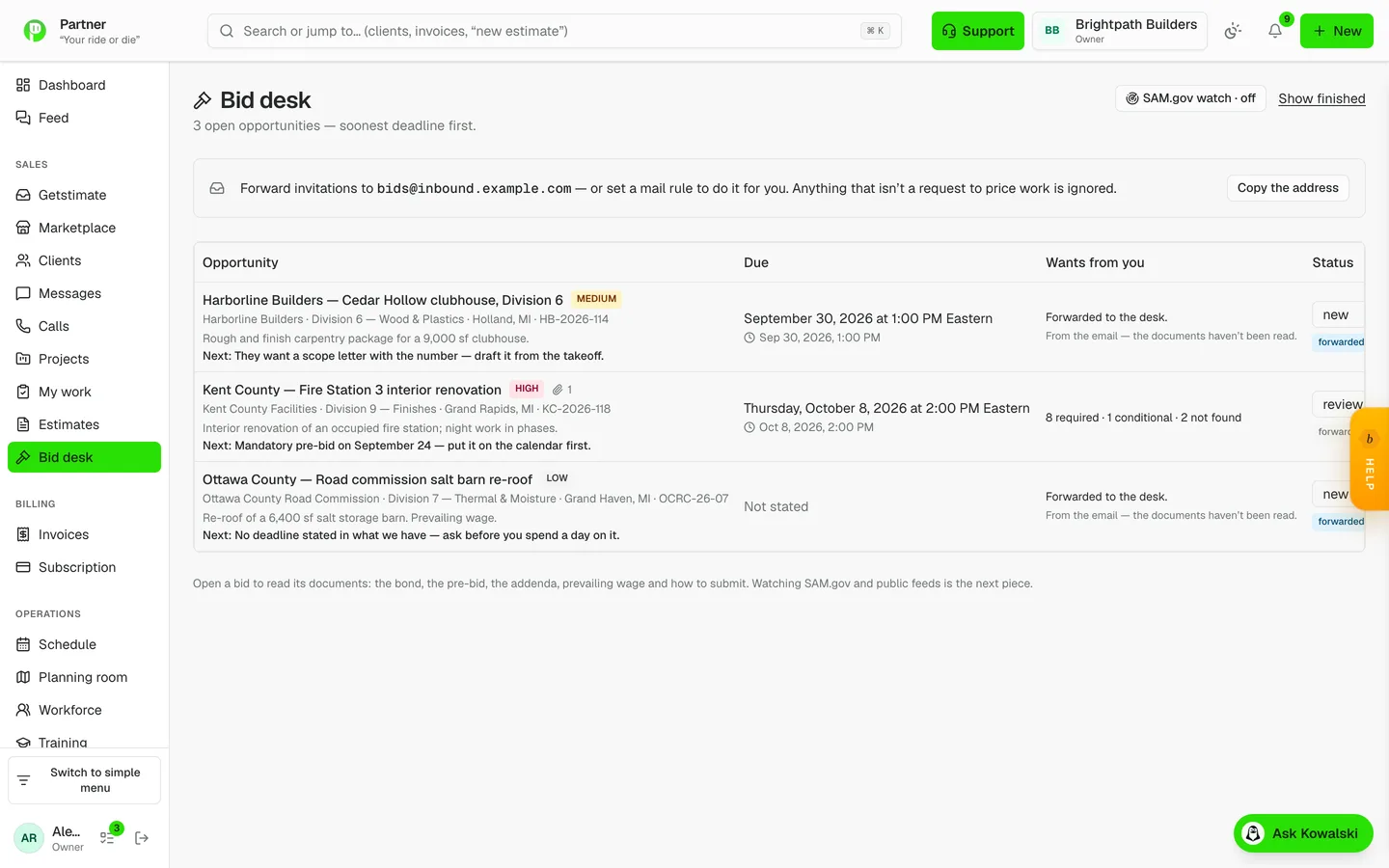
Forward invitations to your desk address and they file themselves with the deadline, the issuer and a read on whether it is worth the trip. Then it reads the actual documents against a fixed compliance checklist — bond, pre-bid meeting, addenda, prevailing wage, insurance, how to submit — and every "required" carries the verbatim sentence that says so.

  • Mail intake: forward it, or set a rule and forget it
  • Fixed checklist so nothing is quietly left out
  • Every requirement quoted from the document, with its page
  • "Not found" is stated as not found — never as not required
  • Dated submission steps push to your to-do list
  • Watches SAM.gov for federal solicitations in your NAICS codes
Bid desk in Partner

Bid packages and sub buy-out

Turn a set of plans into sub packages and compliance costs in parallel.

The bid-package orchestrator runs several specialists at once: the takeoff, a regulatory and safety cost register, and roster-matched buy-out packages for your subs. Off-platform sub search is available and constrained — it never invents a company that does not exist.

  • Compliance and safety register priced alongside the takeoff
  • Sub packages matched against your own roster
  • One click to bid requests and sub invitations
  • Scope-only packages: subs see the work, never your price

Leads and a public request form

Web enquiries become real records, not another inbox to dig through.

A public request page feeds straight into your pipeline, with AI triage reading each enquiry for priority and next step. Nothing goes stale silently — the follow-up engine keeps the ones you have not answered in front of you.

  • Public /get-estimate intake page, indexable
  • AI triage: priority and a suggested next step
  • Automatic follow-up sequences on quiet leads
  • Lead funnel and win-rate reporting

Change orders that stick

Scope creep becomes a signed, billed change instead of an argument.

Raise a change order from the job, send it for approval, and the approved amount adjusts the project budget baseline — so the job costing stays honest instead of silently going over. An over-allowance selection drafts one for you automatically.

  • Client-approved on a public link
  • Approved changes move the budget baseline
  • Over-allowance selections draft one automatically
  • A change-order detector flags the ones you would have eaten

55-second walkthrough

AI that does the paperwork

Two assistants with names and jobs — and a hard rule that a human approves anything that leaves the building.

Kowalski — your AI office manager

Log the paperwork by asking. You approve; he files.

Kowalski sits in a dock on every page and can actually do things: create the client, raise the ticket, log the day, find the invoice. He proposes, you approve, and only then does anything get written — so a misheard address is a rejected suggestion rather than a wrong record.

  • Ask in plain English on any page, on phone or desktop
  • Proposes the write; you approve it before it happens
  • Reads your real jobs, costs, schedule and money
  • Every action is logged with who approved it

65-second walkthrough

An AI that answers the phone

The call gets answered, logged and summarised while you are on a ladder.

Riley answers, takes the details, and writes a structured summary back into the CRM — who called, what they wanted, whether they need a callback. Outbound calls work the same way, including an on-my-way call that carries a real measured ETA rather than a guess.

  • Inbound calls answered, transcribed and summarised
  • On-my-way calls with a driving ETA plus a padded buffer
  • Follow-ups created from what the caller actually asked for
  • Every call attached to the client record

AI you can see the cost of

No surprise bill and no black box.

Every AI call in the product is metered against a catalogue of features with a credit price, budget-gated before it runs, and visible on a usage page. When you are out, it says so rather than quietly failing.

  • Every feature metered and catalogued
  • Budget checked before the call, not after
  • Per-feature usage visible to the owner

Weekly client updates, written for you

Clients hear from you every week without you writing a word.

Kowalski drafts a plain-language weekly update per active job from what actually happened — logs, photos, progress — and publishes it to the client portal once you have read it. Sections are toggleable and there is always a "write it myself" escape hatch.

  • Drafted from real activity, not a template
  • You review before anything is published
  • Publishes to the portal your client already has

Files that file themselves

Find the warranty letter without remembering where you put it.

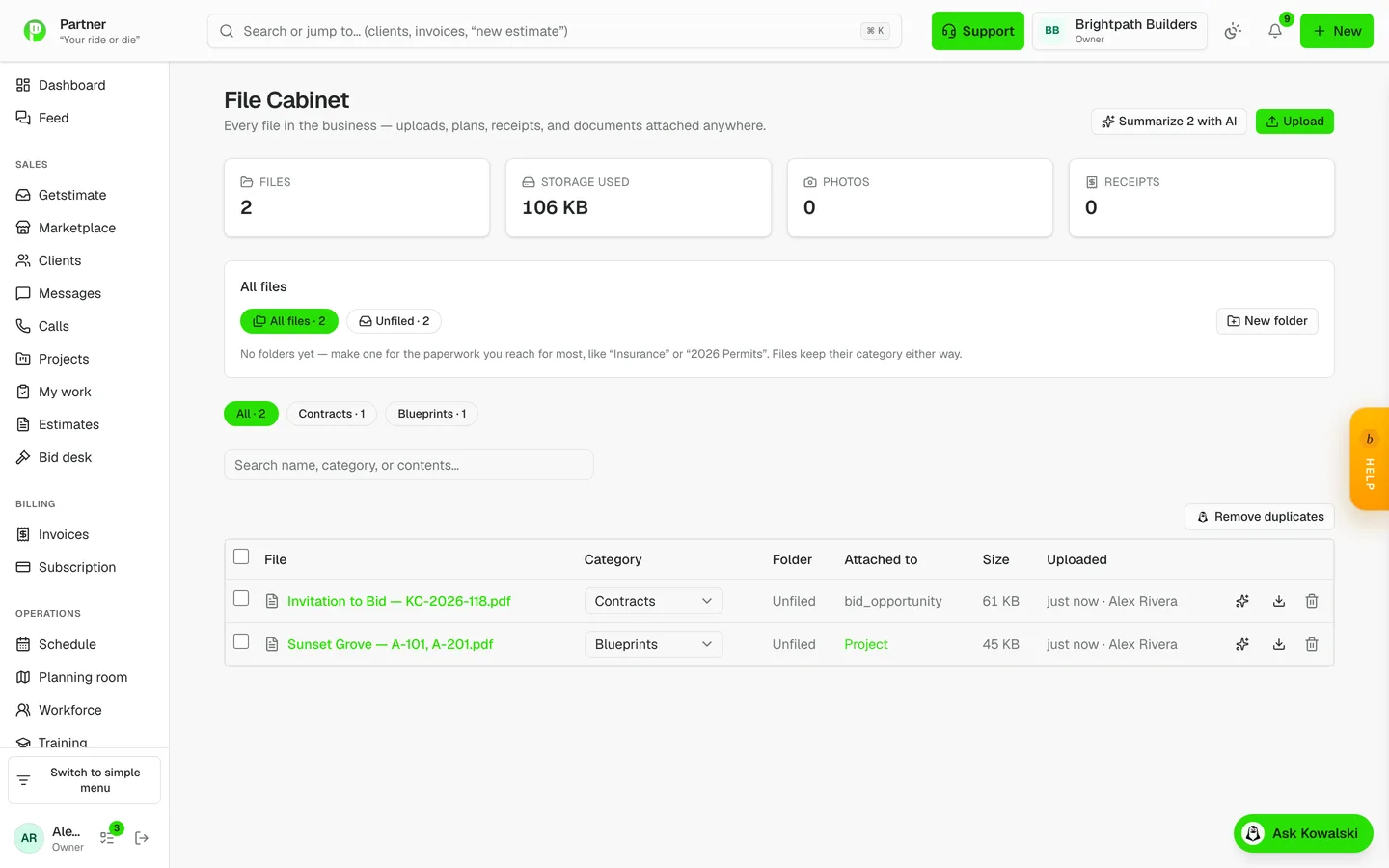
The File Cabinet reads the actual bytes of a document or photo, tags it with a category, and writes a searchable summary of what is inside it. Low-confidence classifications ask for a human glance instead of guessing.

  • Content-based classification, not filename guessing
  • Searchable summary of what each document contains
  • Low-confidence items flagged for review
  • Every attachment in the product lands here
Files that file themselves in Partner

Partner as an MCP server

The AI tools you already use can read your jobs.

Partner exposes an MCP endpoint with read tools over projects, job costing, A/R aging, WIP and the schedule, plus opt-in write-scoped tokens. Access is doubly gated: the token’s scope AND the RBAC of the person who minted it.

  • Per-user tokens, stored hashed
  • Read tools wrap the same queries the app uses
  • Write scopes are opt-in and separately gated
  • Every call audit-logged

Run the job

The day holds together whether or not you are standing in the middle of it.

Projects, tasks and job costing

One place that knows what a job was worth and what it actually cost.

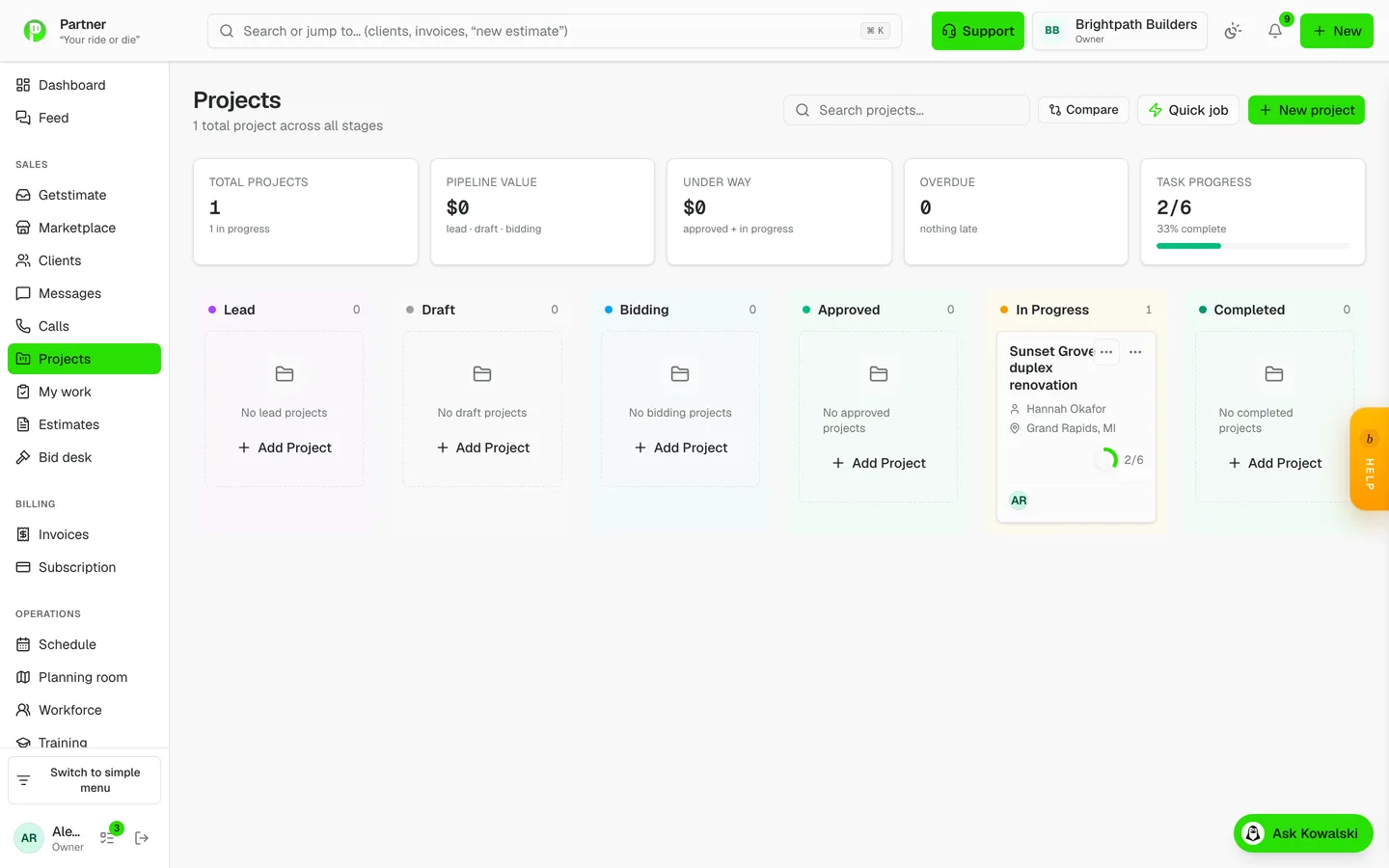
Every job carries its tasks, its schedule, its costs and its conversation. Purchase orders, bills and expenses post into job costing as they happen, so the margin you see is the margin as of this morning rather than as of the estimate.

  • Tasks with hours, assignments and dependencies
  • Costs rolled from POs, bills, expenses and labor
  • Budget vs actual with cost-code composition
  • Approved change orders adjust the baseline
Projects, tasks and job costing in Partner

One schedule for everybody

Crews, visits and loads on a single calendar you can drag.

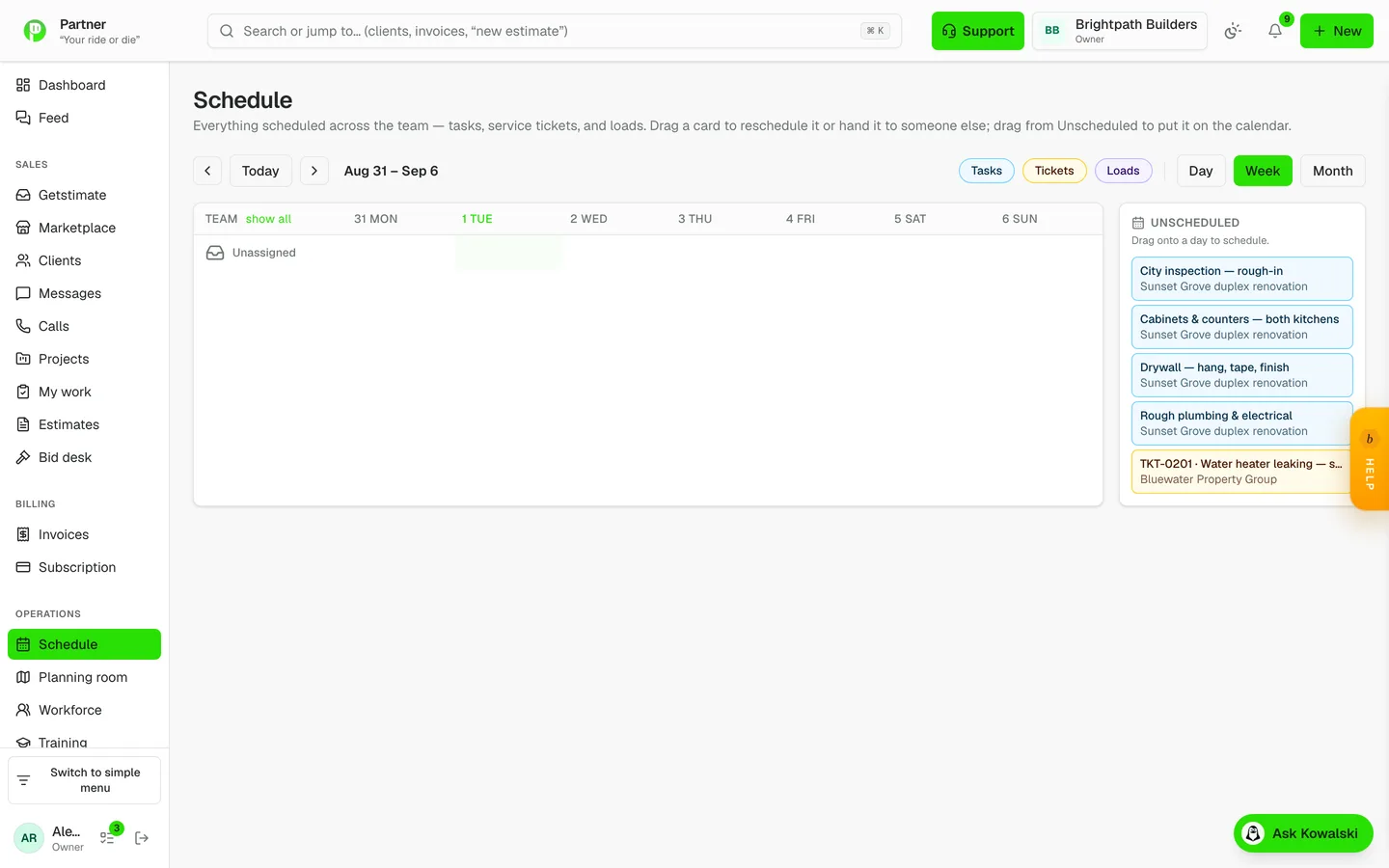
A cross-team calendar over tasks, site visits and deliveries, with a per-person workload strip so you can see who is buried before you promise a date. Drag to move, click a day cell to create.

  • Tasks, visits and loads on one board
  • Per-person workload at a glance
  • Drag to reschedule, tap to create
  • Subscribe from your phone calendar
One schedule for everybody in Partner

Daily logs that half-write themselves

The log is done before you get back to the truck.

Open a log and the weather is already in it from the national service, along with who was on site from the time clock. Add photos and a few lines and it is filed — and it works with no signal, replaying when you are back in range.

  • Weather and manpower filled in automatically
  • Photo-first, built for a phone in one hand
  • Queues offline and replays with the real timestamp
  • Links to the tasks and punch items it mentions

60-second walkthrough

Punch list with photo close-out

Walk the job once, close items with a picture instead of an argument.

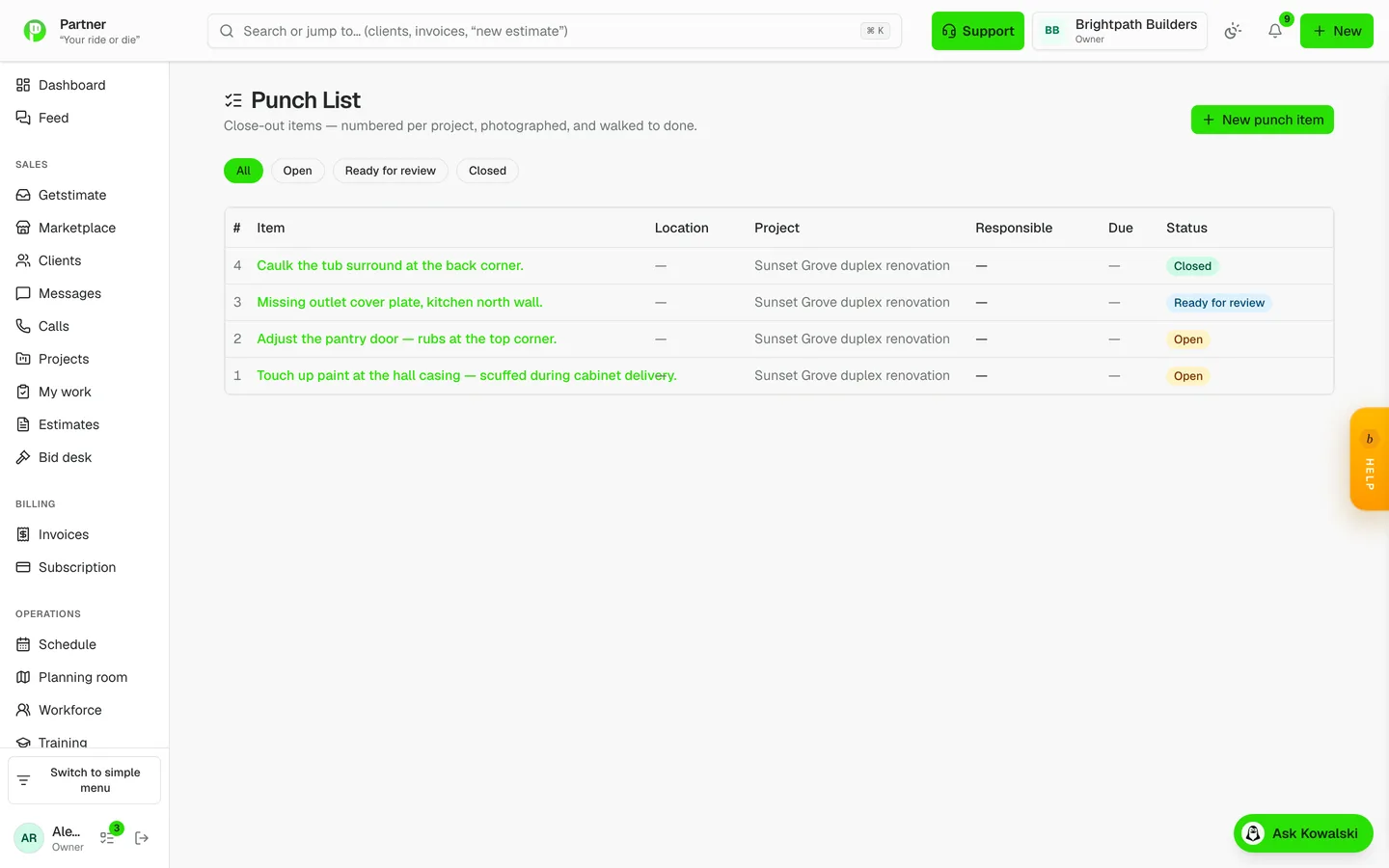
Items carry a photo, an assignee and a status, and they can be pinned to the exact spot on the drawing they belong to. Closing one takes a photo of the fixed work, so the record of the fix is the fix.

  • Photo on the item and photo on the close-out
  • Pinned to a point on the plan sheet
  • Assignable to a crew member or a sub
  • Rolls up per drawing area
Punch list with photo close-out in Partner

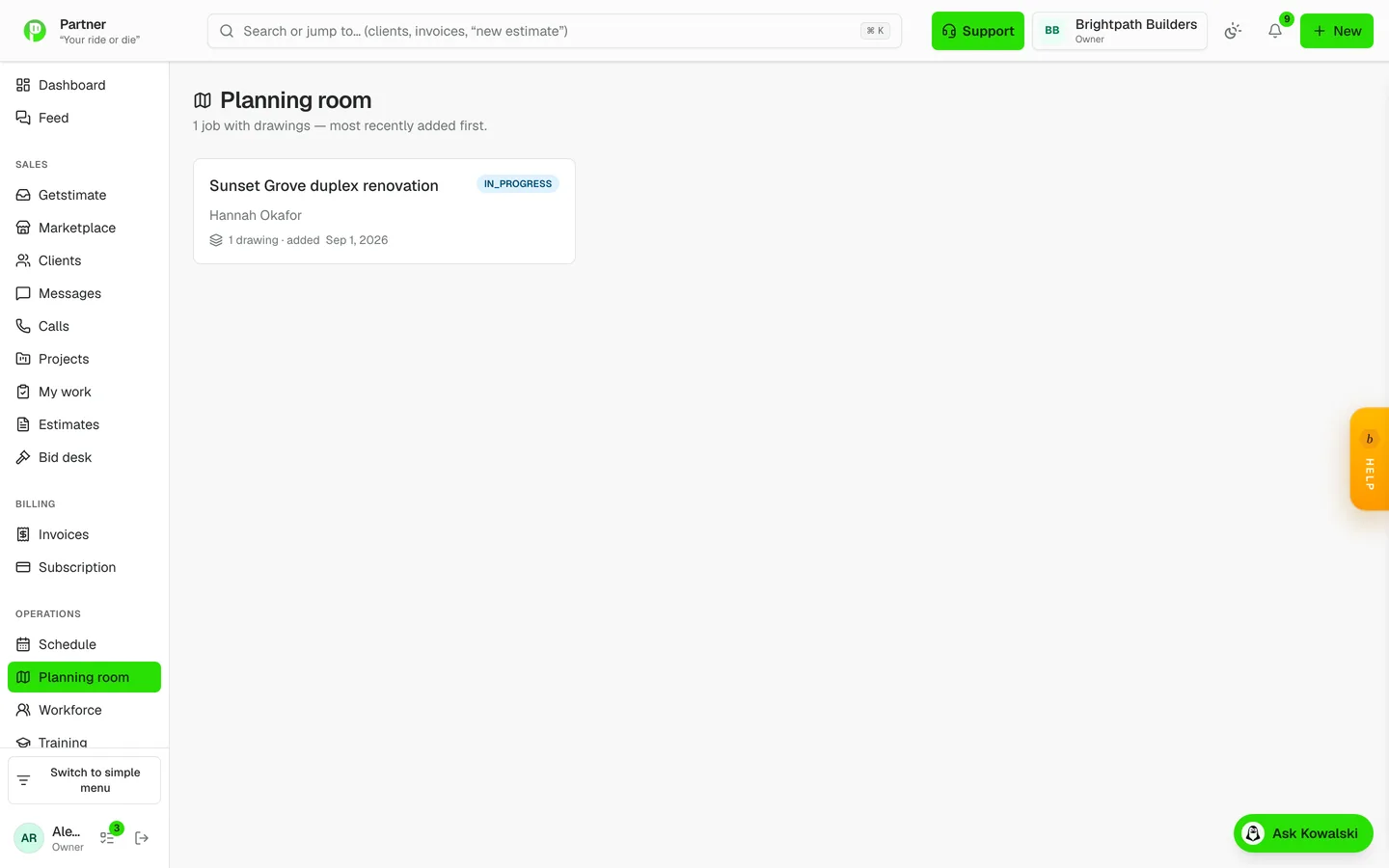
Planning room

The drawing set on a phone, with the job’s records pinned onto it.

Open the plans, trace out real rooms and areas — rectangles or traced polygons, because rooms are rarely rectangles — and pin punch items, RFIs and submittals to the exact point they concern. The plan is a lens onto the job’s real records, never a second copy of them that drifts.

  • Named and traced areas, not just page numbers
  • Punch items, RFIs and submittals pinned in place
  • Per-area rollups: what is open, right here
  • Share or save a marked-up sheet as an image
  • Reachable from the job, the estimate, the change order or the invoice
Planning room in Partner

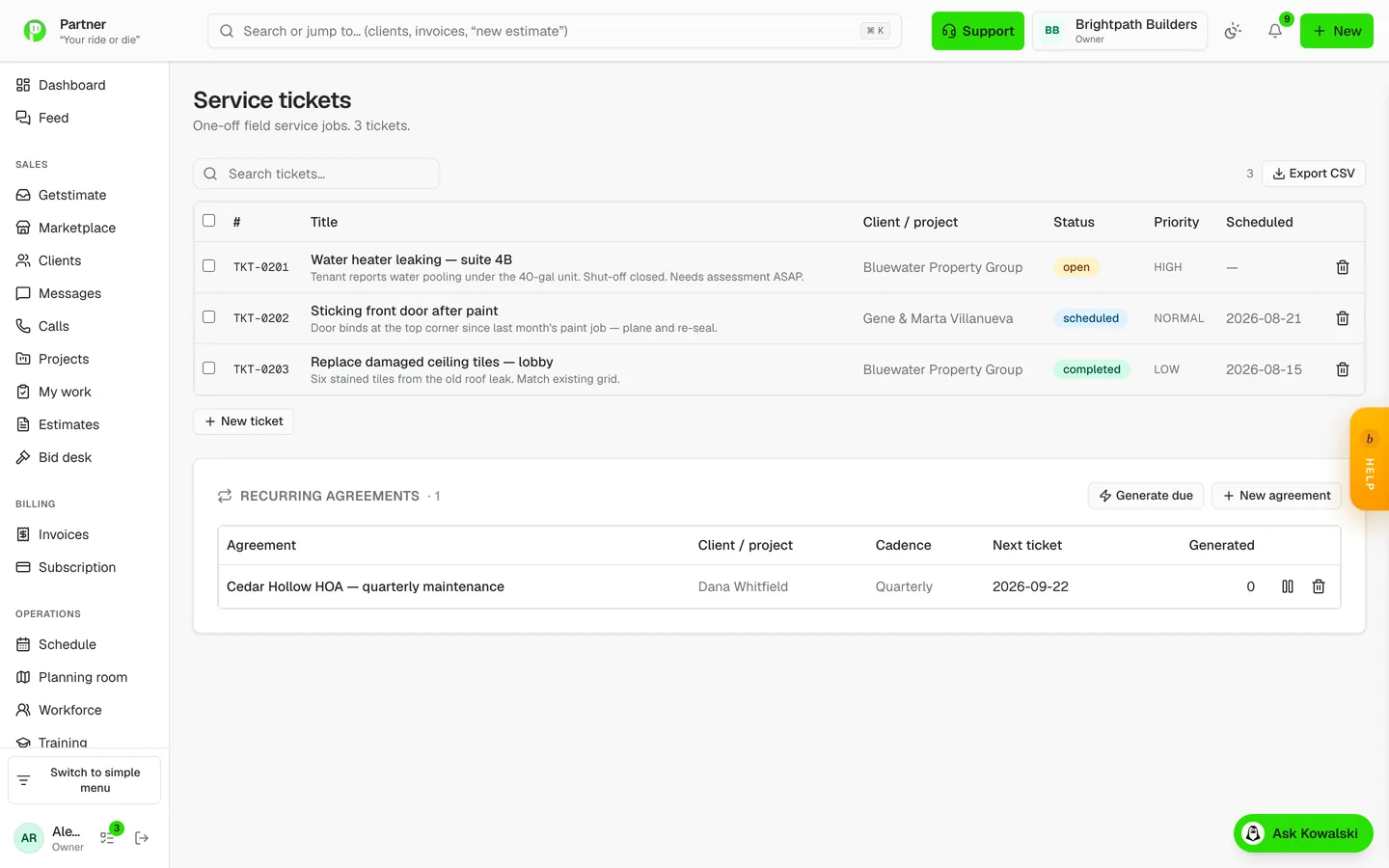
Service tickets

Small work stays small instead of falling through.

One-off calls, warranty visits and service agreements run as tickets with their own scheduling and a one-click conversion to an invoice. Recurring service agreements raise their own tickets on schedule.

  • Ticket to invoice in one click
  • Recurring agreements generate their own tickets
  • Warranty claims from the client portal arrive as high priority
  • Install base: client-owned equipment with warranty status
Service tickets in Partner

Works with no signal

A basement with no bars does not lose the afternoon.

Clock punches, daily logs and photos queue on the device with their real timestamps and replay when you reconnect. The app installs to the home screen like a native one.

  • Punches, logs and photos queue locally
  • Replays with the time it actually happened
  • Installable PWA on iPhone and Android
  • A mobile launcher over every module

On-my-way messages with live tracking

The client stops calling to ask where you are.

One tap sends an on-my-way message carrying a live tracking link — a map with the tech’s position and an ETA measured off real driving distance, then padded so you arrive inside the window rather than outside it.

  • Live map link, no app for the client to install
  • ETA from real driving time, padded honestly
  • Day-before visit reminders as well
  • A trip charge rule for jobs beyond your radius

Get paid

Stop being the debt collector. The money side chases itself.

Invoices from the work you already did

Bill the job without retyping a single line.

An approved estimate becomes an invoice in one click, with the lines intact. Clients pay online from a public link, payments post against the balance, and overdue invoices flag themselves.

  • Estimate to invoice with no retyping
  • Public pay link — no login for the client
  • Partial payments, deposits and retainers
  • A money bar that filters to Overdue, Open or Paid in one click

60-second walkthrough

Reminders that go out without you

The awkward chase email sends itself.

Overdue invoices trigger reminder sequences you configure once, with an AI-drafted chase message that stays polite and specific. A collections report shows you what is actually at risk rather than a wall of everything unpaid.

  • Automatic reminder schedule per invoice
  • AI-drafted chase copy you approve
  • Bulk "send reminders now" when you want a push
  • Collections and A/R aging reports

Recurring invoices and bills

The monthlies bill themselves.

Maintenance agreements, retainers and monthly contracts generate on schedule; on the payables side, rent, insurance and truck payments raise their own bills so nothing arrives as a surprise.

  • One-click "generate due" for the month
  • Recurring bills on the payables side too
  • Retainers drawn down as the work happens

Pay applications (G702 / G703)

Progress billing on commercial work, done properly.

Build a Schedule of Values — seedable from the approved estimate — and bill against it as numbered applications with retainage. Previous certificates are snapshotted per application, so a final application can release retainage and close billing cleanly.

  • Schedule of Values that locks once billing starts
  • Numbered applications with retainage math
  • Final application releases retainage
  • An approved application drafts the receivable invoice

Payments, expenses and cash flow

You can see what is actually in the business this month.

Card payments land through Stripe, expenses carry receipt photos and cost codes, and bills age on a payables board. Everything flows into one cash-flow view instead of three tabs and a spreadsheet.

  • Online card payment on invoices and proposals
  • Expenses with receipt photos, linked to jobs
  • Bills, bill payments and A/P aging
  • Cash flow across receivables and payables

Your crew

Hours, pay and paperwork for the people who actually build the thing.

Time clock with GPS

Hours land on the right job by themselves.

Punch in from a phone in two taps and the hours attach to the job and the cost code. Arriving at a site can nudge a one-tap clock-in, and one shift can be split across a bundle of tasks worked as a unit without inflating anybody’s total.

  • Two-tap punch, works offline
  • Per-worker opt-in geofence nudge — never a silent auto-punch
  • Cost code on the punch for job costing
  • Multi-task shifts split by estimated hours, never evenly

45-second walkthrough

Payroll from real hours

Pay people from what they actually clocked.

Payroll runs off the punches already in the system, with overtime handled by a tested engine rather than a spreadsheet formula. Approvals, adjustments and history all live with the run.

  • Built from clocked hours, not re-entry
  • Overtime computed by week, properly
  • 1099-NEC worksheets at year end
  • A per-person pay view your crew can check themselves

Certified payroll (WH-347)

Prevailing-wage paperwork out of data you already have.

A per-project weekly Davis-Bacon report assembled from the hours your crew clocked, with the Statement of Compliance, as a landscape PDF ready to submit.

  • WH-347 straight from recorded hours
  • Work classification per crew member
  • Statement of Compliance included
  • Permission-gated like the rest of payroll

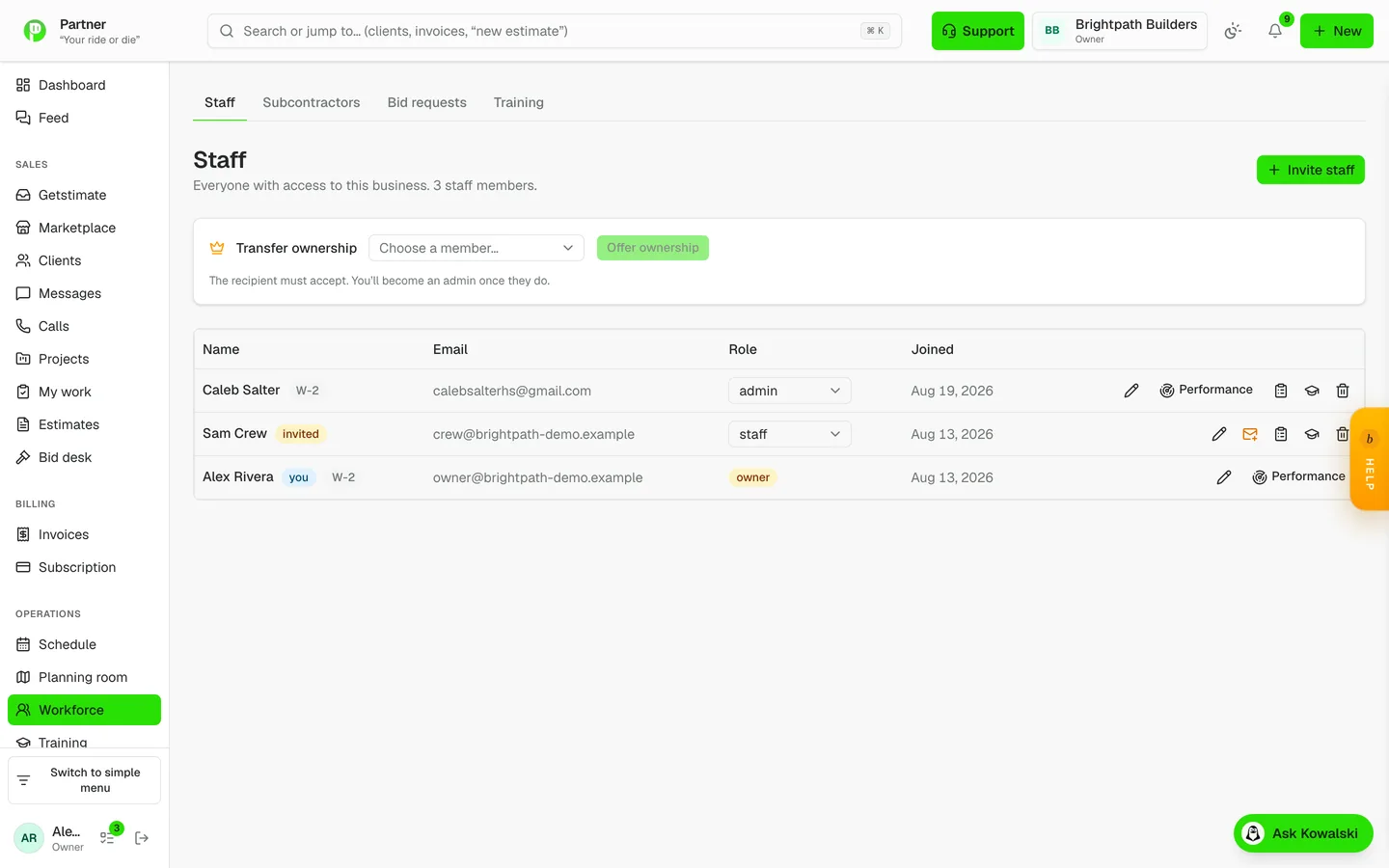
Training and certifications

Know whose ticket expires before the inspector does.

Certifications, expiry dates and training modules per person, with nudges before something lapses.

  • Certifications with expiry tracking
  • Training modules and completion records
  • Reminders before a certificate lapses
Training and certifications in Partner

Approvals in one queue

Timesheets, expenses and time off in one place, not five.

Everything waiting on you lands in a single approvals queue with enough context to decide without opening another screen.

  • Timesheets, expenses and requests together
  • Batch approve where it makes sense
  • Every decision recorded on the timeline

Commercial and compliance

The registers a GC expects you to keep, without buying Procore.

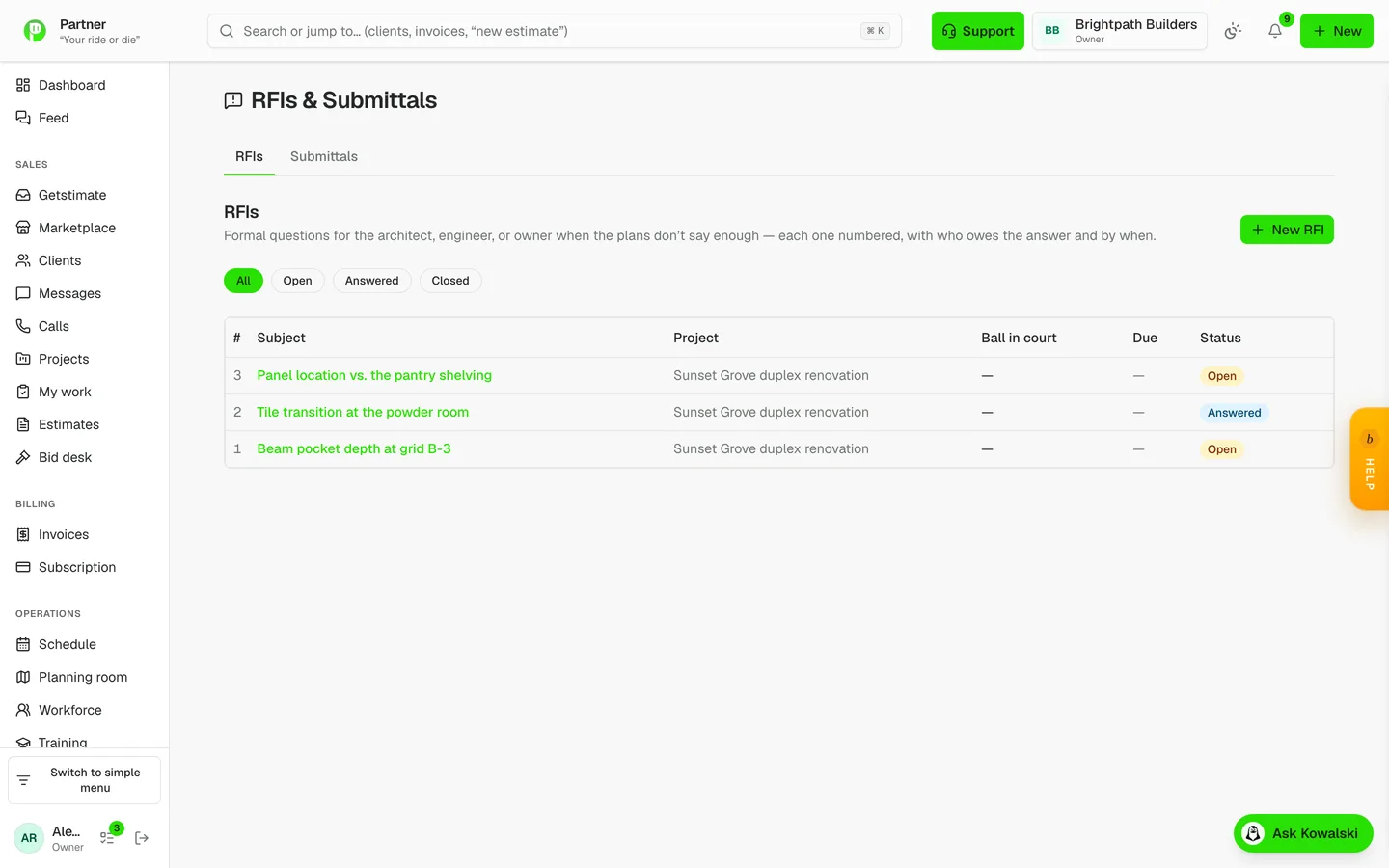
RFIs with ball-in-court

You can prove who has been sitting on the answer.

Numbered RFIs with ball-in-court tracking, overdue flags and a printable record — and they can be pinned to the exact detail on the drawing they are about.

  • Per-project numbering that continues correctly
  • Ball-in-court and overdue tracking
  • Pinned to a point on the plan sheet
  • Printable for the record
RFIs with ball-in-court in Partner

Submittals

Spec sections tracked through review without a spreadsheet.

Submittals carry their spec section and move through a review lifecycle, with the same plan pinning as everything else. Drafts read as drafts rather than as approvals.

  • Spec section on every submittal
  • Review lifecycle with dates
  • Pinned to the drawing

CSI cost codes everywhere

Costs land in the codes your accountant asked for.

Cost-code pickers on expenses, purchase orders and clock-ins, with a cost-by-code rollup across all three carriers.

  • Pickers on expenses, POs and punches
  • Cost-by-code report over every carrier
  • Non-CSI classification option for other markets

Sub portal — no account required

Subs get drawings, bids and payment requests from a link.

Each sub gets a private link — no account to create, no password to reset. They see the drawings for their scope, submit bids, upload photos and file payment requests. Compliance runs there too: they upload their insurance certificate and license, and expiry is tracked for you.

  • A link, not an account
  • Bid-time drawings scoped to their trade
  • Payment requests with photos
  • Insurance and license on file, with expiry tracking

115-second walkthrough

Bid requests to your subs

Send the same scope to five subs and compare what comes back.

Bid requests go out with the scope and the drawings, and responses come back on one board with deadline reminders for the subs who have not answered.

  • One scope, many subs, one comparison
  • Deadline reminders sent automatically
  • Scope-only packages — never your price

Clients and growth

The part that decides whether they call you again, and whether they tell anyone.

A portal your clients actually open

They stop calling for an update because they can see one.

Every client gets a portal with their documents, their photos, their selections and their weekly update — reached from a link, with no account to create. It is the same place they approve proposals, pay invoices and file a warranty claim.

  • No account for the client to create
  • Documents, photos and progress in one place
  • Selections with allowance variance shown live
  • Warranty claims raise a high-priority ticket

95-second walkthrough

Email campaigns with real tracking

Bring old clients back without a separate marketing tool.

A pre-flight checklist that will not let you send a half-finished email, A/B subject testing with a winner badge, scheduled sends, and an event-level ledger of every open and click — including which link they clicked.

  • Pre-flight checklist before Send unlocks
  • A/B subject split with per-variant open rates
  • Scheduled sends with a learned best-time hint
  • Open and click tracking down to the URL

Campaign copilot

Know why a campaign did what it did — then act on it.

A sent campaign gets an AI performance read against your own history, with cohort follow-up drafts: the people who opened but did not click are a different message from the people who never opened. Drafting fans out several variant writers plus a deliverability critic that scans for spam signals before you send.

  • Cohort analysis on your own benchmarks
  • One-click follow-ups per cohort
  • Several variants written in parallel
  • A deliverability critic before it goes out

Reviews, surveys and testimonials

Ask the happy ones, and only the happy ones.

A survey goes out at close-out; a happy response triggers a Google-review request, an unhappy one goes to you instead. Polished testimonials land on a public wall that feeds the funnel pages.

  • Survey-gated review requests
  • Unhappy responses route to you, not to Google
  • A public testimonials wall from real responses

Referrals that pay out by themselves

Your best clients bring you the next job.

Every client gets a referral link threaded through the public request form. When the referred client makes their first payment, the reward credit awards automatically — no chasing, no remembering.

  • Per-client referral links
  • Credit awards on the referred client’s first payment
  • Referral funnel visible in reports

Follow-ups that chase themselves

Nothing goes quiet because you got busy.

Quotes that have not been answered, clients who have gone quiet, and jobs waiting on a decision all raise follow-ups on a schedule — with drafted copy you approve.

  • Sequences on quotes, leads and quiet clients
  • Drafted messages you approve before sending
  • Everything lands on the client timeline

60-second walkthrough

Materials, suppliers and stock

What you buy, what you own, and what it did to the job cost.

Purchase orders in build order

One click turns a won job into orders, by supplier.

The materials on a won estimate group themselves into purchase orders — by supplier, in the order you will actually need them. Receiving a PO posts its cost to the job and mints its bill.

  • Grouped by supplier, sequenced in build order
  • Received POs post straight to job costing
  • PO to bill, once, without duplicates

70-second walkthrough

Inventory with QR labels

Know what is on the shelf and what walked off the truck.

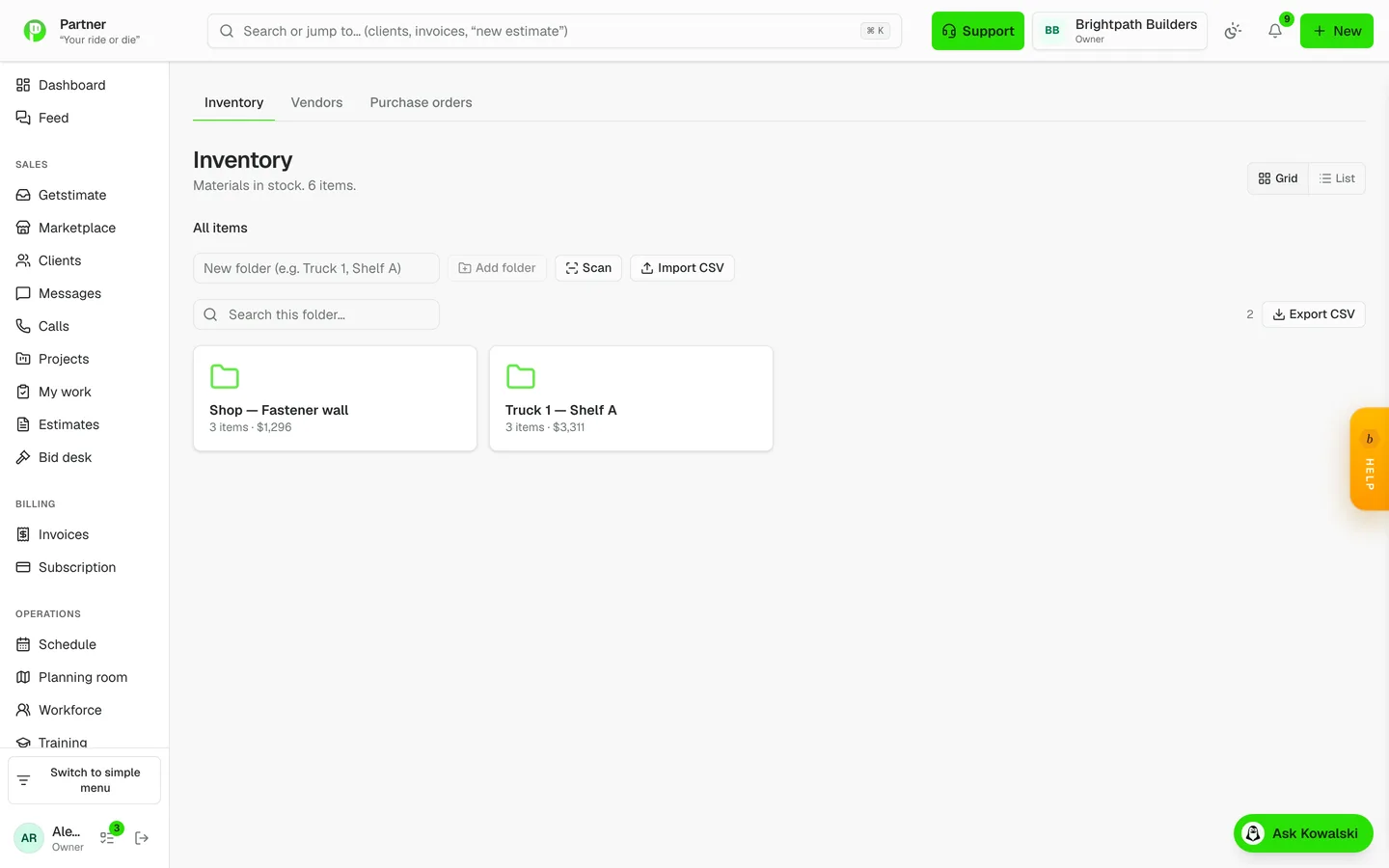
Nested folders with value rollups, photo-first item cards, one-tap plus and minus through a real transaction ledger, and printable QR label sheets for items or whole shelves. The in-app scanner jumps straight to an item from its label, SKU or barcode.

  • Folders with subtree value rollups
  • QR label sheets, per item or per shelf
  • In-app camera scanner
  • Bulk CSV import with folder auto-create
Inventory with QR labels in Partner

Vendors and subcontractors

Who you buy from and who you hire, with their paperwork current.

Vendor records tie to bills and POs; sub records carry insurance and license status computed from what they uploaded, with a weekly reminder chasing whatever is about to expire.

  • Vendors linked to bills and purchase orders
  • Sub compliance status computed, not eyeballed
  • Weekly expiry reminders

Assets and equipment

The tools and trucks, and what they cost you.

Equipment records with assignment and service history, doubling as work centers for shops that route work through machines.

  • Assignment and service history
  • Doubles as a work center for routed production

Your catalog and rates

Price the same thing the same way every time.

Products, services, labor rates and their costs in one catalog that every estimate draws from — including the AI drafter, which is told to use your numbers rather than market averages.

  • Cost and price per item
  • Used by hand-built and AI-drafted estimates alike
  • Last-run actuals surfaced when re-quoting repeat work

Know your numbers

Fifteen reports, and a dashboard that tells you what needs you today.

A dashboard about today

Open the app and know what needs you.

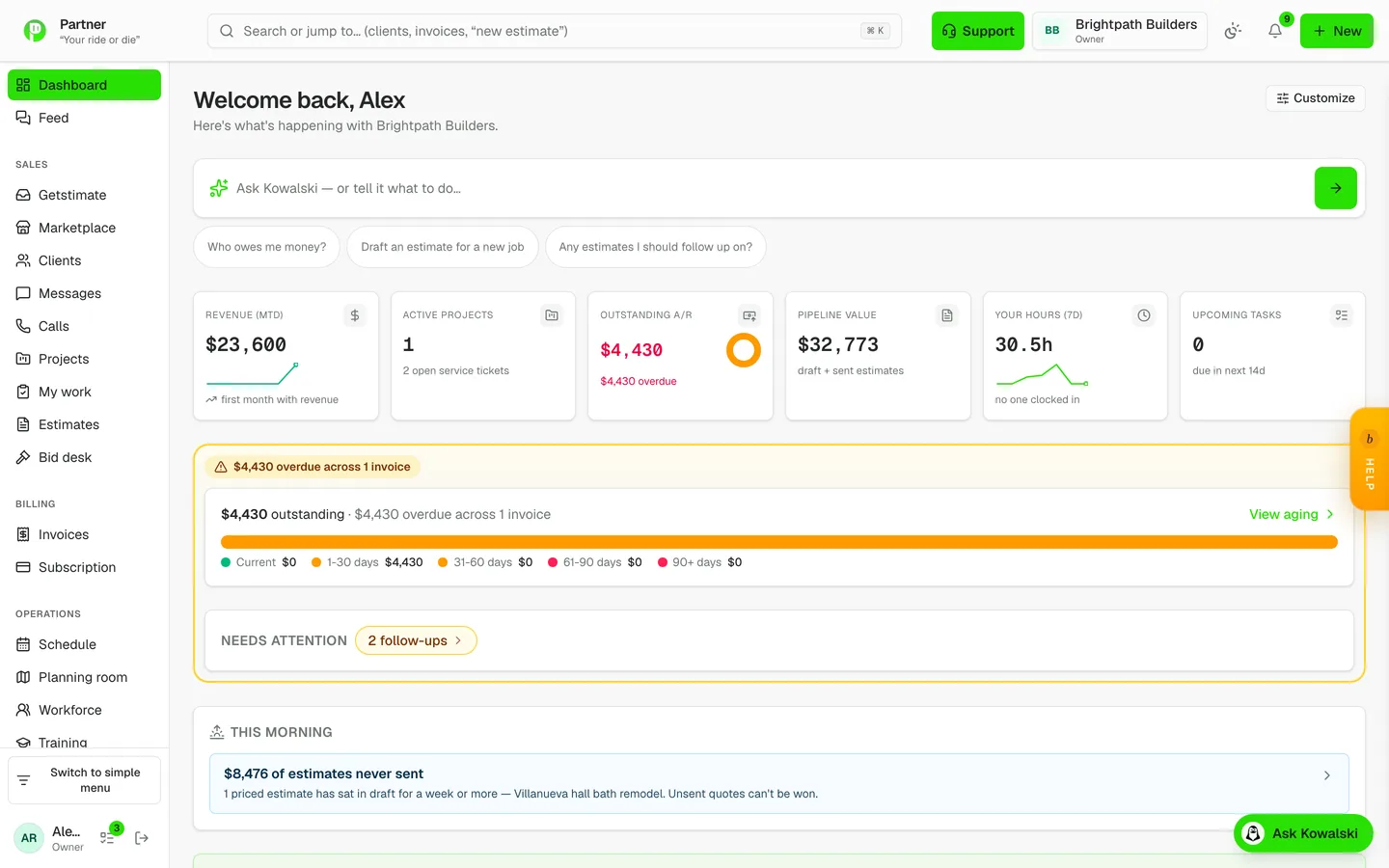
KPI tiles with sparklines, an A/R aging donut, active jobs, and the things waiting on a decision — each tile deep-linking to the filtered list behind it rather than to a generic page.

  • Money, jobs and approvals in one view
  • Tiles deep-link into the filtered list
  • Sparklines on the numbers that trend
A dashboard about today in Partner

Nineteen reports that answer real questions

Profit, cash, aging and pipeline — without exporting anything.

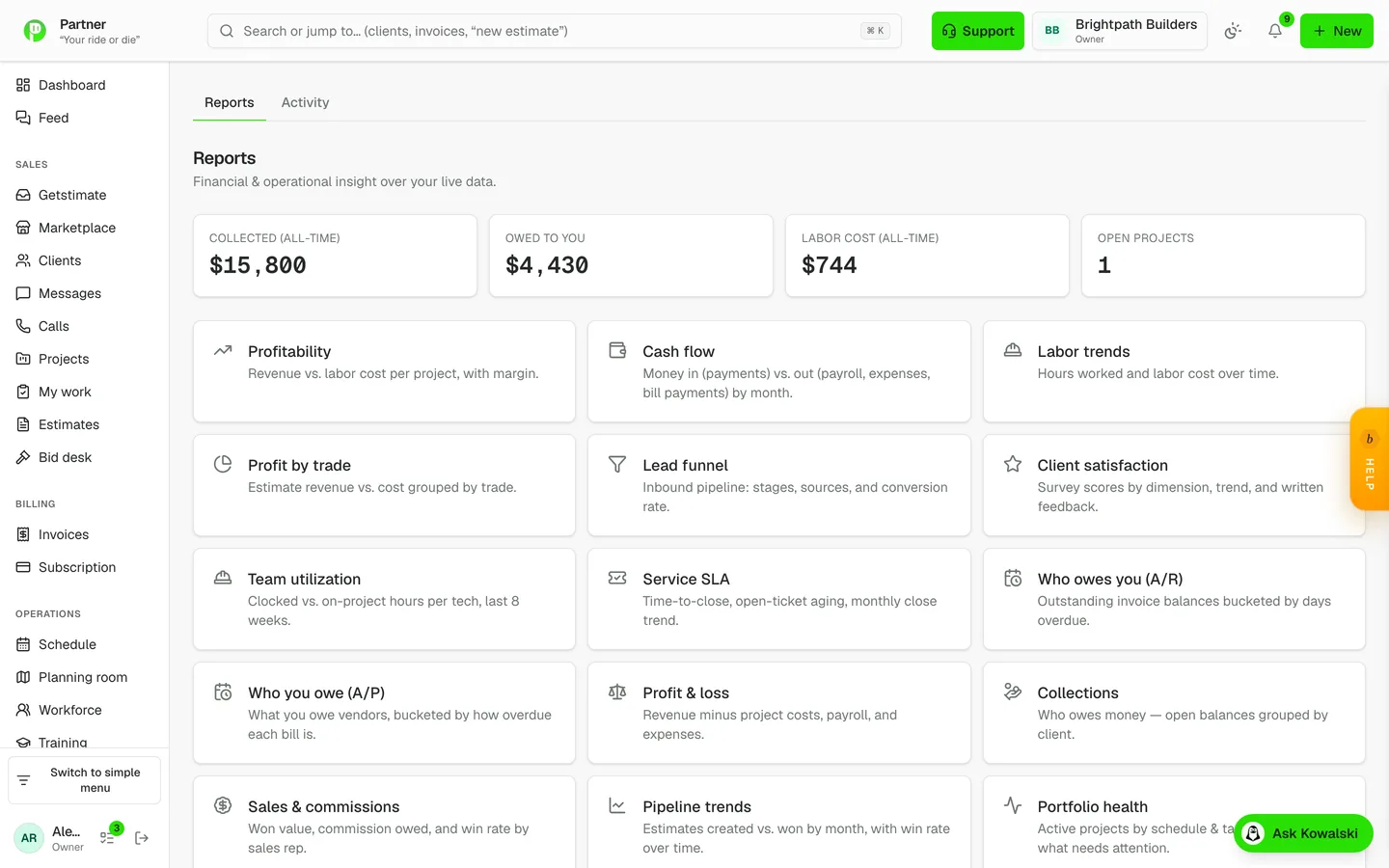
Profitability, cash flow, labor trends and labor efficiency, profit by trade, lead funnel, client satisfaction, team utilization, service SLA, A/R and A/P aging, profit and loss, collections, sales and commissions, pipeline trends, portfolio health, job costing, cost by code, and WIP with over- and under-billing. Every one of them reads your live data — nothing to export first.

  • P&L waterfall with monthly columns
  • WIP: percent complete versus billed to date, with lag flags
  • Job costing budget-versus-actual by cost code
  • Pipeline funnel and win rate
Nineteen reports that answer real questions in Partner

A margin floor you cannot walk past

A losing job cannot be approved by accident.

Every estimate carries an operating-overhead load fed by your real monthly costs, and a configured minimum margin gates approval, sending and conversion. A sub-margin estimate is stopped at all three doors, not warned about at one.

  • Overhead load from your actual monthly costs
  • Minimum margin enforced on approve, send and convert
  • Cost and price tracked separately on every line

A timeline on everything

Who did what, and when, without asking around.

Clients, jobs and documents all carry an activity timeline — system events included — so a question about what happened has an answer instead of a group chat.

  • One timeline model across every record
  • System events as well as human ones
  • Searchable from the record itself

The platform underneath

The parts you only notice when they are missing.

Roles and permissions

The crew sees their work; the office sees the money.

Per-module permissions with a real access contract behind them — every page and every mutation is gated on the server, not by hiding a menu item.

  • Per-module view / edit / create rights
  • Gated server-side on every page and action
  • Owner and admin overrides where they belong

Integrations, API and webhooks

It plugs into what you already run.

A key-authenticated public API over clients, projects, invoices, estimates, vendors and leads, webhooks for events, QuickBooks export as import-ready CSVs, a Procore migration wizard for switchers, and an SSO seam for companies that need it.

  • Public API v1 with rate limiting and write scopes
  • Webhooks on the events that matter
  • QuickBooks-ready CSV export
  • Procore CSV migration wizard

Bring your old data with you

Switching does not mean starting from an empty app.

Drop in a folder of exports — CSV or Excel — and each file is identified by its header fingerprint, sequenced in dependency order, and mapped by AI with an ask rather than a guess when a file is ambiguous. A whole import can be undone.

  • CSV and Excel, identified automatically
  • Ambiguous files ask instead of guessing
  • Clients, projects, invoices and history
  • Batch undo if it lands wrong

Your language, your currency, your units

It speaks the way your market speaks.

Five languages across every client-facing surface, VAT and tax-inclusive pricing, metric units, international phone handling, and AI output that follows the client’s language rather than yours.

  • English, Spanish, French, Portuguese, German
  • VAT and tax-inclusive pricing modes
  • Metric units and non-CSI classification
  • Region-aware AI pricing and suppliers

Security and your data

It is your data, and you can take it with you.

Two-factor authentication, row-level security on every table, audit logs on sensitive actions, and a full data export whenever you want one.

  • Two-factor authentication
  • Row-level security on every table
  • Audit logging on sensitive actions
  • Export your data on demand

It speaks your trade

The app calls things what your industry calls them.

Four terminology presets — field services, commercial construction, logistics and manufacturing — chosen at onboarding by an industry classifier. On the logistics preset a project is a load and the board speaks dispatch; on manufacturing it speaks work orders and work centers.

  • Field services, commercial, logistics, manufacturing
  • Navigation and labels change with the preset
  • Client-facing surfaces change too

Still looking for something?

This list is long because the work is. If the thing you need is not on it, ask — the answer is usually either “it does, here” or a straight no.