HVAC Dispatch Software: What a Small Shop Actually Needs
By the Partner team · November 20, 2026
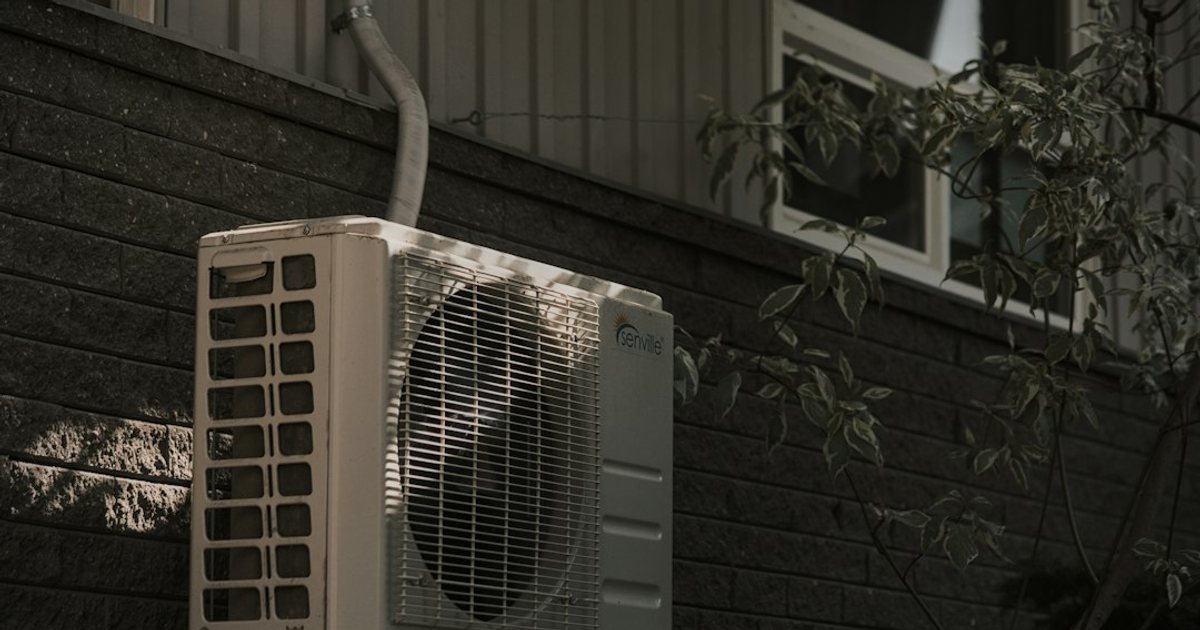
Photo by Everett Pachmann on Unsplash
Good HVAC dispatch software gets the right technician to the right call quickly. It shows the dispatcher who is free, who is close and who is qualified. It sends job details to the tech's phone and records time and travel against that job. The tech can then close the call with notes, photos and an invoice before leaving the driveway. For a small shop, those few jobs matter more than a long feature list.
Below are the seven must-haves, the paperwork rules dispatch has to support, and how to tell whether a tool will hold up in July.
What does HVAC dispatch software actually need to do?
Dispatch is not the same as a calendar. A calendar records when something is supposed to happen. Dispatch handles what actually happens during the day: emergency no-cool calls, a tech who runs long on a compressor swap, a part that isn't on the truck. For a small HVAC company, the software has to cover the whole call, from first contact to payment:
- Capture the call. Every inbound request becomes a job with the customer, address, equipment and problem attached. Nobody should have to copy it off a sticky note.
- Show availability at a glance. The dispatcher should see each tech's status (open, en route, on site, done) without calling around.
- Match the tech to the job. Some calls need someone certified for refrigerant work or experienced with commercial rooftop units. The board should make that obvious.
- Push details to the field. Address, gate code, equipment history and the customer's description of the problem should reach the tech's phone in one tap.
- Track time and travel by job. Clock-in, drive time and on-site time should land on the right job automatically.
- Close out in the field. Notes, photos, parts used, refrigerant recovered, and a signature or invoice before the tech leaves.
- Hand off to the office. Hours go to payroll, costs go to job costing and the invoice goes to collections, with no retyping.
If a tool does the first four but not the last three, it's a scheduling board, not dispatch software. The office will still be rebuilding each day from texts and paper tickets.
Why dispatch matters more as HVAC demand grows
Demand for HVAC work isn't slowing down. The U.S. Bureau of Labor Statistics projects employment of heating, air conditioning and refrigeration mechanics and installers to grow 11 percent from 2025 to 2035, with about 40,600 openings a year. The same source puts the median annual wage at $61,010 as of May 2025.
For a small shop, that has two consequences. There will be more calls than you can easily handle in peak season. And each tech costs real money, so every hour spent driving the wrong way or waiting on a callback from the office is expensive. Dispatch software won't fix a hiring shortage. It can make sure the techs you already have spend their day on billable work.
The paperwork dispatch has to carry
A dispatch tool for HVAC has to do more than move dots on a map. Two sets of rules affect what it should record on every job.
Drive time between calls is paid time
Under the Fair Labor Standards Act, travel that is part of the workday counts as work. The U.S. Department of Labor's Fact Sheet #22 says that travel "from job site to job site during the workday, is work time" and must be counted as hours worked. Ordinary travel from home to the first job and back home at night generally is not.
That matters for HVAC, where a tech might run five or six service calls a day. If your dispatch system can't tell drive time from on-site time, two things go wrong. Your payroll records are weaker than they should be, and your job costing hides how much of each call is windshield time. A GPS time clock that ties every hour to a job closes both gaps. Drive time and wrench time get recorded separately and automatically.
Refrigerant records
EPA rules under Section 608 of the Clean Air Act come with their own paperwork. According to the EPA, technicians disposing of appliances that contain between 5 and 50 pounds of refrigerant must keep records of the disposal. Technicians must also keep proof of certification at their place of business. For appliances holding 50 or more pounds of ozone-depleting refrigerant, the technician has to give the owner an invoice showing how much refrigerant was added.
As Contracting Business summarized, disposal records for 5–50 pound systems include the company name, appliance location, recovery date and refrigerant type. They also cover monthly totals recovered and what was sent for reclamation or destruction. These records are kept by the technician or contractor, not by the equipment owner.
You don't need special software to comply. But if refrigerant type and quantity are fields the tech fills in at close-out, the record exists the moment the job ends. That beats rebuilding it from a crumpled ticket at month-end.
HVAC dispatch software vs. scheduling software for contractors
People often search for "scheduling software for contractors" when they need dispatch, or the other way around. The two overlap, but they solve different problems:
- Scheduling software plans work ahead of time: installs next week, a crew on a multi-day changeout, preventive maintenance visits spread across the season. It's about capacity and sequence.
- Dispatch software handles the same day: who takes the 2 p.m. no-heat call, who is closest, and what happens when a job runs over. It's about live status and quick reassignment.
Most small HVAC shops need both, in one place. Install crews are scheduled days out, and service techs are dispatched hour by hour. If they sit in separate tools, the dispatcher can't see that the install crew finished early and could take a service call. The install schedule also can't see that a service tech got pulled away. A contractor scheduling app built around the crew, rather than around a calendar grid, makes both views come from the same list of people and jobs.
Here is what to look for when one tool claims to do both:
- One view of every tech and crew, whether they are on a planned job or a same-day call.
- Reassigning a job updates the tech's phone right away, with no follow-up text.
- Multi-day jobs and one-hour service calls live on the same board.
- Changes are logged, so you can see who moved what and when.
How to test HVAC dispatch software before you commit
Demos are built around the happy path. Run your own test using a real day from last summer.
Rebuild a busy day
Pick a day when everything went sideways: three emergency calls, a tech out sick, a part on back order. Enter it into the trial and see how many taps it takes to reshuffle. If the dispatcher needs more than a minute to move a call and notify the tech, that will hurt in peak season.
Hand a phone to your least technical tech
If your most reluctant tech can't open a job, see the address, clock in and close it out without help, the data won't get entered. Every report downstream depends on it.
Follow one job all the way to payment
Take a single test call from first contact through dispatch, close-out, invoice and payroll. Count every place someone has to retype a number. Each one is a chance for an error and an hour of office time you're paying for.
Check the after-hours gap
HVAC emergencies don't wait for office hours. Find out how calls that come in at 9 p.m. reach the board. If the answer is "someone checks voicemail in the morning," pair your dispatch tool with an answering service for contractors so the job exists before anyone wakes up.
Where Partner fits
Partner is an all-in-one operating app for small trades businesses. It keeps estimates, scheduling, the GPS time clock, payroll, invoicing and lead follow-up in one place, so a dispatched call becomes a costed, invoiced job without retyping. You can see how it's set up for heating and cooling shops on the Partner for HVAC contractors page.
If you want to run the busy-day test above with your own techs, you can start Partner free at yourpartner.app and dispatch a few real calls before you decide.
The short version
- HVAC dispatch software should cover the whole call: capture, assign, field close-out and office handoff.
- Drive time between calls is generally paid work time under the FLSA, so track it by job.
- EPA Section 608 rules require refrigerant disposal records for 5–50 pound systems. Make those fields part of close-out.
- Scheduling and dispatch should share one board, so planned installs and same-day service don't collide.
- Test with your worst day and your least technical tech, not the vendor's demo.
Drafted with AI and published by the Partner team.
Keep reading
- Plumbing Dispatch Software: 7 Things a Small Shop NeedsNovember 22, 2026
- Certified Payroll Software for Small Contractors: What It Must DoNovember 27, 2026
- Construction Software That Fits a Small CrewOctober 27, 2026