Plumbing Dispatch Software: 7 Things a Small Shop Needs
By the Partner team · November 22, 2026
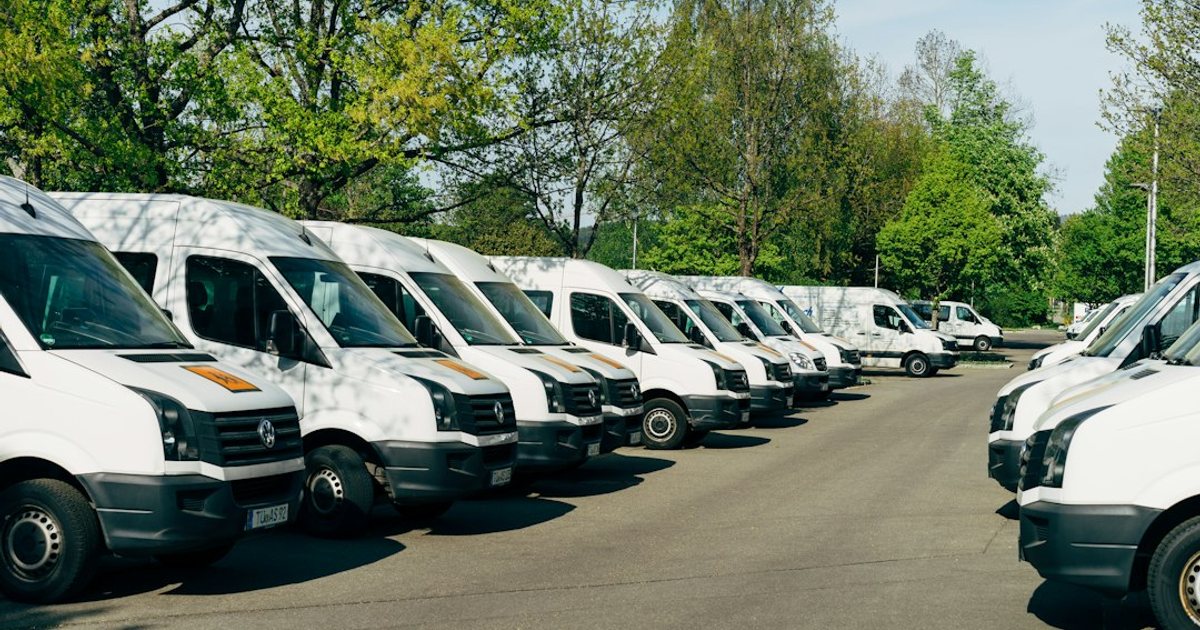
Photo by Markus Winkler on Unsplash
Plumbing dispatch software is an app that turns an incoming call into a booked job. It assigns the right plumber, sends the address and job notes to their phone, records the drive and work time, and has the invoice ready when the job is done. For a small shop, the right one does that from a single screen, so the owner isn't calling or texting each tech to pass along what the customer said.
Below: why plumbing dispatch works differently from dispatch in other trades, seven features to check before you buy, a few mistakes to avoid, and how dispatch fits with general scheduling software for contractors.
Why is plumbing dispatch harder than other trades?
Plumbing calls are mostly unplanned. A remodel can be scheduled weeks out. A water heater leak or a backed-up drain needs someone that day. That's why the Bureau of Labor Statistics notes that most plumbers work full time, and that includes nights and weekends. A dispatch board that only handles a neat 8-to-5 calendar won't hold up in a plumbing shop.
Labor is also expensive and hard to find. BLS puts the median annual wage for plumbers, pipefitters and steamfitters at $63,800 as of May 2025, and it projects 7% employment growth from 2025 to 2035. Every hour a licensed plumber spends driving across town, or waiting on a callback about the gate code, is an hour you pay for and can't bill.
Small shops also have small offices. The person dispatching is often the owner, a spouse or one office manager who also handles invoices, payroll and the phone. Good software has to cut down that person's work, not just move it from paper to a screen.
What plumbing dispatch software should do: 7 must-haves
Hold any tool you're considering to this list:
- Capture the call even when nobody picks up. Emergency callers move on to the next plumber quickly. If the phone rings out while you're under a sink, the job is lost before you can dispatch it. Look for missed-call text-back or an answering service that logs the caller's name, address and problem straight into the job.
- Show who is free, where they are and what they're licensed for. A drag-and-drop board should show each tech's day, current location and skills. Then you can tell at a glance who can take a slab leak and who should take a faucet swap.
- Send the whole job to the tech's phone. That means the address, access notes, customer history, photos from earlier visits and the problem as the customer described it. If the tech has to call the office for details, the software isn't doing its job.
- Let you reshuffle the day in seconds. An emergency will bump a scheduled maintenance call. Moving a job should update the tech's phone automatically and text the customer a new arrival window.
- Track time from the first job to the last. Under the Department of Labor's Fact Sheet #22, travel from job site to job site during the workday is work time and has to be counted as hours worked. A GPS time clock tied to each dispatched job gives you an accurate payroll record and shows how much of the day went to driving.
- Turn the finished job into an invoice on site. Parts, labor and photos should already be on the ticket, so the tech can collect payment before leaving and nobody has to retype it at the office.
- Follow up on its own. Review requests, maintenance reminders and unpaid-invoice nudges should go out automatically after the job closes. That repeat and referral work is your cheapest marketing.
A note on routing and mileage
Route order matters more than most owners expect. The IRS standard mileage rate for business use is 76 cents a mile for July through December 2026, up from 72.5 cents for the first half of the year. That rate is a reasonable estimate of what a mile of driving costs. As simple arithmetic: if poor job order adds 20 miles a day to one truck, that's about $15 a day at the current rate, before you count the tech's paid drive time. Dispatch software that groups nearby calls pays for itself here.
Common plumbing dispatch mistakes the software should prevent
- Booking from memory. When the dispatcher has the schedule in their head, nobody else can cover for them, and double bookings slip through.
- Dispatching by text thread. Notes scattered across group texts get lost. Two techs show up at the same house, or none do.
- Paper tickets that come back days later. Each day a ticket sits in a truck is a day the invoice hasn't gone out.
- Counting only on-site hours. If drive time between jobs doesn't make it onto timesheets, you risk an FLSA problem and you underestimate what each call really costs.
- No record of the visit. Without before-and-after photos and notes, warranty callbacks and "you didn't fix it" disputes come down to your word against the customer's.
Plumbing dispatch vs. scheduling software for contractors
People often search for "scheduling software for contractor" when what they need is dispatch. The two overlap, but they solve different problems:
- Scheduling software plans work that's known in advance, like a repipe, a remodel rough-in or a new-construction phase. It focuses on crew availability across days and weeks, task order and making sure materials arrive before the crew does.
- Dispatch software handles work that shows up today. It focuses on speed: who is closest, who is qualified, and how fast the customer gets an arrival window.
Most small plumbing shops do both. They run service calls in the morning and keep a bathroom remodel or a new-build rough-in going in the background. A separate tool for each means entering customers twice and keeping two calendars. It's simpler to use one board that holds planned jobs and same-day calls together, so you can see when pulling a plumber off a remodel for an emergency will push that project back. Our contractor scheduling app page shows how that crew-first view works. If you also run HVAC, our post on HVAC dispatch software for small shops covers what's different about seasonal no-heat and no-cool rushes.
Use slow weeks for marketing, not just dispatch
Dispatch software keeps a record of every customer you've served, and that list is a marketing asset. Plumbing has a ready-made seasonal hook: the EPA's WaterSense Fix a Leak Week, held each March. The EPA says leaks can waste nearly 10,000 gallons of water a year in the average home. A short text or email to past customers that week, offering a leak check, can fill a slow stretch of the schedule. The same customer records let you send water heater flush reminders or annual inspection offers without anyone building a mailing list by hand.
How Partner handles plumbing dispatch
Partner is an all-in-one operating app for trades businesses, and it covers the dispatch steps above, one feature at a time. Calls get answered and logged by the answering service for contractors. Jobs go onto a shared board and out to each tech's phone. The GPS time clock records the drive and work time on each job. The tech builds and sends the invoice on site, and reminders and review requests go out without anyone in the office chasing them. You can see how this works for a plumbing shop on the Partner for plumbing contractors page, or try it free at yourpartner.app.
Frequently asked questions
What is plumbing dispatch software?
It's an app that turns incoming calls into booked jobs, assigns the right plumber, sends job details to their phone, tracks time and produces the invoice. For a small shop, the aim is to do all of that from one screen without phone calls back and forth.
Do I have to pay plumbers for drive time between jobs?
Under the Department of Labor's Fact Sheet #22, travel from job site to job site during the workday is work time and must be counted as hours worked. Ordinary travel from home before the workday starts is generally not work time.
Is dispatch software the same as scheduling software for contractors?
Not quite. Scheduling software plans known work over days and weeks. Dispatch handles same-day calls where speed and the closest qualified tech matter most. Many small plumbing shops need both, ideally on one board.
How can dispatch software help with marketing?
It keeps a record of every past customer and job, so you can send seasonal offers like a leak check during the EPA's Fix a Leak Week in March, plus maintenance reminders and review requests, without building a list by hand.
Drafted with AI and published by the Partner team.
Keep reading
- HVAC Dispatch Software: What a Small Shop Actually NeedsNovember 20, 2026
- Certified Payroll Software for Small Contractors: What It Must DoNovember 27, 2026
- Construction Software That Fits a Small CrewOctober 27, 2026