Roofing CRM: What a Small Roofing Company Actually Needs
By the Partner team · November 18, 2026
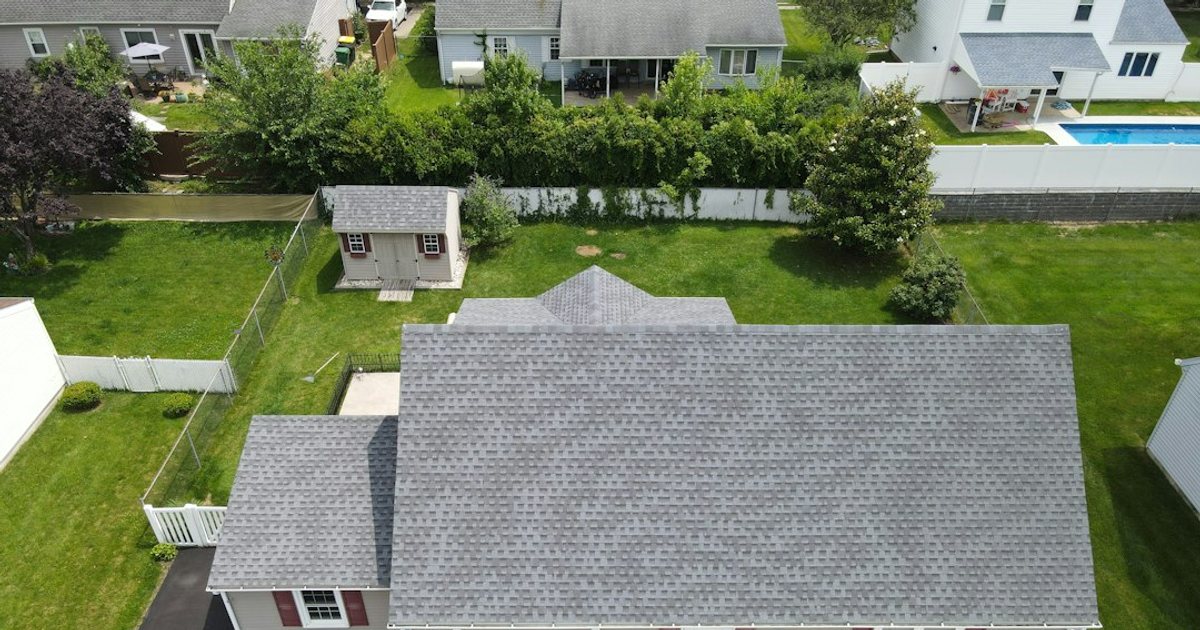
Photo by Paragon Exterior on Unsplash
A good roofing CRM tracks every lead from first call to final payment, follows up automatically when you can't, turns inspection notes and photos into a priced estimate, keeps signed contracts and change orders with the job, and sends invoices and reminders without you retyping anything. If a system doesn't do most of that from your phone, it's a contact list with a monthly fee.
Below you'll find what each feature does for a roofing company, what you can skip, and questions to ask before you buy.
Why do roofers need a CRM built for roofing?
Roofing leads don't come in at a steady pace. A hailstorm can bring a week's worth of calls in one afternoon, and most of them come while you're on a roof or up a ladder. Storm damage is also routine for homeowners. Between 2018 and 2022, wind and hail caused more insurance claims than any other cause of loss: about 2.8 percent of insured homes had a wind or hail claim, according to the Insurance Information Institute. That adds up to a lot of homeowners calling roofers in the same week.
Homeowners are also told to be careful after storms. The Federal Trade Commission's consumer guidance tells them to check a contractor's license, ask for proof of insurance and references, and get the contract and every promise in writing. When a homeowner is comparing you with a storm chaser who knocked on their door, quick and organized paperwork helps you win the job.
A generic sales CRM was built for office salespeople. It doesn't know what an inspection is, can't hold 40 roof photos on a job, and doesn't connect a signed estimate to a crew schedule or an invoice. That's why roofers end up juggling a notes app, a spreadsheet, a calendar and their accounting software.
What a roofing CRM should do: 8 features to check
Use this as a checklist when you compare tools:
- Capture every lead in one place. Calls, web forms, referrals and door knocks should all land in the same pipeline, tagged with where they came from.
- Follow up automatically. A text or email should go out the moment a lead comes in, with more follow-ups if nobody answers.
- Track each lead through clear stages. For example: new lead, inspection booked, estimate sent, signed, scheduled, complete, paid. You should be able to see what's stuck in a few seconds.
- Build estimates from the field. Measurements, materials, tear-off, layers, pitch and labor should turn into a clean estimate before you leave the driveway.
- Store photos and documents on the job. Inspection photos, the signed contract, change orders and permits should be attached to the job record, not scattered across phones.
- Get e-signatures and deposits. Getting a signature and deposit right away keeps the job from going cold.
- Hand off to scheduling and crews. A signed job should go on the calendar with the scope attached, so the crew lead isn't working from a text message.
- Invoice and remind. Final invoices should come from the approved estimate and change orders, with reminders sent until the job is paid.
Jobber's roofing CRM guide gives a similar list, including job history, forms and checklists, scheduling and time tracking. Most tools agree on the features. What separates them is whether the features are connected.
Lead follow-up: where a roofing CRM pays for itself
Response speed is the clearest reason to use a CRM at all. In the Harvard Business Review study "The Short Life of Online Sales Leads," firms that tried to reach a lead within an hour were nearly seven times as likely to qualify it as firms that waited even one more hour. The same study found that 23 percent of companies never responded at all, as summarized in this breakdown of the research. That study wasn't about roofers, but the lesson holds: after a storm, a homeowner is calling three or four companies, and the first useful reply usually gets the inspection.
You can't answer the phone with shingles in your hand. Automation is what fixes this:
- An instant text that confirms you got the request and offers inspection times.
- A follow-up the next day if they haven't booked.
- An estimate follow-up two or three days after you send it, then again a week later.
- A check-in on old "maybe later" leads before the next storm season.
This is the marketing work most roofing owners never get to. Partner's automated lead follow-up sends these messages for you and stops as soon as the customer replies or books, so nobody gets a reminder after they've already signed.
Estimates, photos and paperwork
Estimates that match how you price
A roofing estimate isn't one line item. It's squares, waste factor, tear-off, decking, underlayment, flashing, ventilation, disposal and labor, plus your markup. If your CRM can't hold your own prices and assemblies, you'll end up rebuilding estimates in a spreadsheet and copying totals back in. Look for a tool that learns your pricing so a re-roof estimate takes minutes, not an evening. AI estimating that prices the way you price is built for exactly that.
Photos and documents attached to the job
Damage photos, signed contracts and change orders are your proof when a homeowner, adjuster or inspector asks questions later. The FTC tells homeowners to get every promise in writing, so give them that before they have to ask. A CRM that keeps the contract, the photos and every approved change on the job record makes that easy.
Change orders before the extra work
Rotten decking found during tear-off is the classic roofing change order. The system should let you write it up, price it and get a signature on site, then carry it straight to the final invoice so it isn't forgotten.
From signed job to paid invoice
A lot of CRMs stop once the contract is signed. For a small roofing company, the expensive mistakes happen after that:
- Scheduling: the signed job, scope and material list should flow onto the crew calendar.
- Time on the right job: crew hours clocked to the job show whether that tear-off ran over.
- Invoicing: the final invoice should be built from the estimate plus approved changes, not typed from memory.
- Collections: automatic reminders on unpaid invoices, so you aren't chasing checks on weekends.
- Accounting: payments should sync to your books so your bookkeeper isn't entering them twice.
If your CRM, scheduler, time clock and invoicing are separate apps, you'll be copying the same customer and job details three or four times. Each copy is another chance for a mistake.
What you can skip
Not every feature is worth paying for at a small roofing company:
- Big sales dashboards. With one to three people selling, a simple pipeline view beats 20 charts.
- Separate marketing suites. If follow-up texts and review requests are built in, you probably don't need another email tool.
- Per-user pricing for office-only tools. Make sure your crew can use the field app without each person adding a full license cost.
- Long setup projects. If it takes months to set up, it's built for a bigger company than yours.
Questions to ask before you choose a roofing CRM
- Can I take a lead from first call to paid invoice without leaving the app?
- Does follow-up go out automatically, and does it stop when the customer replies?
- Can I build and send a priced estimate from my phone at the house?
- Do photos, contracts and change orders stay attached to the job?
- Can my crew clock in to the job and see the scope?
- Does it send invoice reminders and sync payments to my accounting?
- Can I try it on real jobs before I commit?
Partner was built for small trades businesses that want to stop retyping, and it handles leads, estimates, jobs, time, invoicing and follow-up in one app. You can see how it fits a roofing company on the Partner for roofing contractors page, or start free at yourpartner.app and run your next few leads through it before storm season.
Drafted with AI and published by the Partner team.
Keep reading
- Construction CRM Comparison for Small ContractorsOctober 11, 2026
- CRM Versus Contractor Spreadsheets for ContractorsOctober 17, 2026
- What a Contractor CRM Should Do for Your MarginAugust 8, 2026