For builders and remodelers with 1 to 20 on the crew
Your office, staffed.
You keep building.
Riley answers the phone and files every caller as a lead. Kowalski drafts the estimate from the plans, writes the daily log and chases the unpaid invoice. You press Apply.
Free to start: no card and no monthly fee — 2% only on work your customer approves. When a flat plan would cost you less, your Billing page says so. Unlimited users either way.
The office
The job isn’t the hard part. The office is.
So Partner staffs it — with two AI hires who work inside your own jobs, numbers and catalog.
Every call, picked up
Answers your line in your business’s name, asks the questions your trade needs, follows your emergency rules, and files the caller as a lead with a summary. Keep your number — forward it.
Rename her if you like.
The paperwork, first-drafted
Estimates from a description, photos or the plans, priced from your own catalog. Daily logs, follow-ups, change orders. Every change is staged for you to look over.
Where your documents don’t give a quantity, the line says so — it isn’t guessed.
Nothing moves without a name on it
You press Apply. Every message to a client records who sent it — you, a teammate, Kowalski or Riley — in that client’s history.
Turn on the follow-ups you want sent on their own; the rest wait for you.
Sell the job before it’s built
From the plan set to a picture your client says yes to.
1
Read the plans
Drop in the PDF set. Partner reads the sheets — rooms, dimensions, the trades on each page.
2
See it in 3D
A model of the building from those plans, framing and trades as layers you can switch on and off.
3
Show it finished
A photoreal picture with the client’s picks off the estimate — the siding, the roof, the cabinets they chose.
4
Walk around it
A short video around the finished building, ready to send with the estimate.
The plans own the shape; the picture shows the finishes. Renders spend AI credits and are made for showing a client, not for building from.
Measure from the truck
Roof and siding numbers from the address
Type the job address: squares, pitch, a facet table and a siding estimate from aerial imagery, with the ridges, hips and valleys traced. When old imagery or trees limit a report, it says so on its face.
Find public work
A bid desk that reads the fine print
Watches SAM.gov for your trades and files the invitations you forward, with the deadline. Then it checks the documents for bonds, the pre-bid meeting, prevailing wage and how to submit — quoting the sentence that says so.
Price like you’ll actually profit
Overhead that keeps up with your business
The old way: a % you guessed once
Sales swing — the flat line never moves. Slow months under-recover; you find out at tax time.
PAO — Proactively Adjusted Overhead
Every receipt, truck, and policy flows in — your real overhead % rides along, and the profit gate flags any bid that can’t cover it.
Built by a 10-year GC, trusted by early contractors — the testimonials page is short because we only publish real quotes.
30 days free — full access
From first call to final payment — and your evenings back.
Clients and subs see a company that has it together, the business runs even when you’re on the wall — and you get proof you can scale past a one-man show.
Estimates clients say yes to
AI-drafted from a description or blueprint photo, sent as a proposal approved online.
Bid tonight instead of losing the weekend to it.
Every crew on the same page
Schedules, daily logs, punch lists, RFIs, and change orders — even offline.
The day doesn’t fall apart because you took an afternoon off.
Invoices that chase themselves
One click from estimate to invoice, paid online, with automatic reminders.
So you stop being the debt collector and get back to being the builder.
Time, pay, and training
GPS time clock, payroll from real hours, and certifications in one place.
So payroll stops being the Sunday night you dread.
Certified payroll, done
WH-347 certified payroll and 1099-NEC worksheets straight from the hours your crew actually clocked.
So a prevailing-wage job is just another job, not a paperwork trap.
Subs without the runaround
A private portal link for every sub — drawings, bids, and payment requests. No account for them to make.
So you stop being the switchboard between the office and the trades.
Campaigns that bring work back
Email past clients with A/B-tested campaigns, open and click tracking built in.
So the phone rings in the slow months without you chasing it.
Your AI, everywhere
Kowalski inside the app, plus an MCP server so the AI tools you already use can read your jobs.
So the answer is a question away, not a scroll through six screens.

Meet Kowalski — your AI partner
The office manager who never clocks out
Ask in plain English — Kowalski reads your real numbers, writes the first draft, and you press Apply.
Estimates
Itemized drafts from a description or blueprint photo, priced from your catalog.
Bid packets
Attach an invitation to bid — one Apply sets up the client, project, and bid form.
Follow-ups
One click drafts the chase email for a quiet estimate or unpaid invoice.
Scheduling
Timelines padded by delay history learned from your own jobs.
Campaigns
Subject lines and per-lead outreach written to your brief.
Your numbers
“Who owes me money?” — answered from live data, never invented.
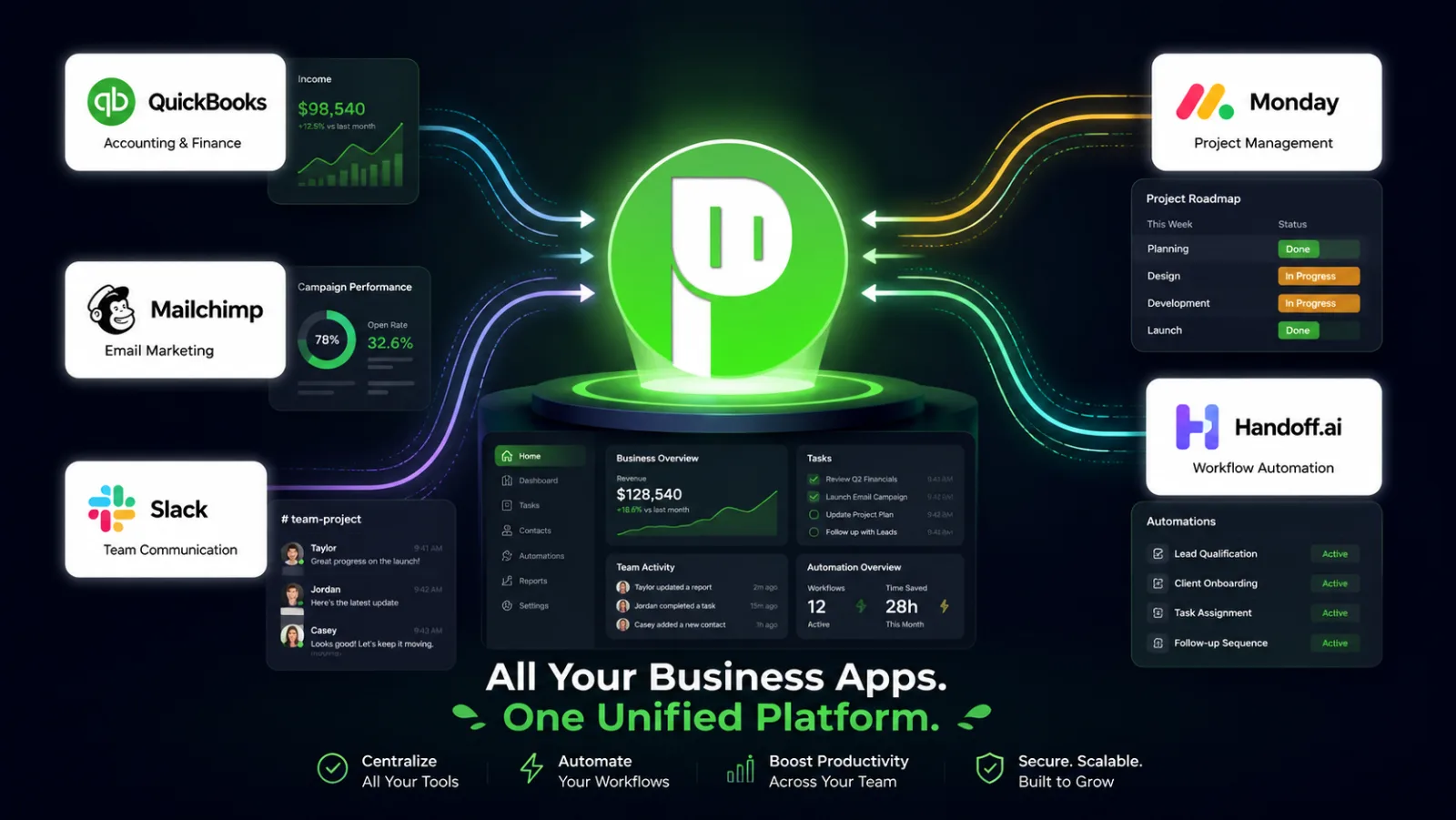
All your business apps. One unified platform.
Weighing Partner against something else?
Seat cost on Partner: $0. On Jobber, JobTread and Housecall Pro, every extra user costs more.
Side by side, with every price linked to its source and dated — and a straight answer on when the other tool is the better pick.
Start free. Go flat when it’s cheaper.
On the free plan Partner earns 2% of the work your customers approve — a quiet month costs nothing. Once you’re winning enough that a flat plan costs less, your Billing page tells you. Every plan has unlimited users — the office, the crew, subs and clients.
Free
Start hereNo card, no monthly fee, every feature. 750 AI credits a month.
Starter
$399 month to month
10 active projects · 500 AI credits · Riley 300 min a month
Growth
$999 month to month
50 active projects · 2,000 AI credits · Riley 300 min a month
Professional
$2,499 month to month
Unlimited active projects · 7,500 AI credits · Riley 300 min a month
Flat plans start with a 30-day free trial. Bigger companies: Enterprise is quoted.
No account · no switching · $29
Hand us tonight’s estimate.
Describe the job, drop in the drawings, and get a full line-item estimate priced for your market — on your letterhead, in minutes. You see every line name, section, and the total free before paying anything; $29 unlocks the numbers. Where your documents don’t support a quantity, the line says needs your number — it is never guessed.
- Keep using Procore, Buildertrend, Jobber — this asks nothing of your setup
- Measured from your drawings where they support it, flagged where they don’t
- The PDF goes to you, never your customer — you review it, you send it
Hear it, don’t read about it
Let Riley call you.
Pick a scenario and Riley calls you — front desk, appointment setting, lead qualification. Interrupt it, wander off script, ask it something weird. Judge it the way your customers would. One call, no sign-up, and it says it’s an AI up front.
In Partner, your number stays yours: set what it does during hours and after — ring the crew, take a message, or hand the call to the agent. More about the receptionist
Scenario
Your name
Your phone number
Email me what she logged (optional)
One email about this call — no list, no follow-ups.
“I spent ten years running jobs and losing my evenings to paperwork. Partner is the tool I wished someone had built for me.”
Caleb Salter
Founder of Partner · general contractor for 10 years
Read the story →Reviews
Not on review sites yet — we’re focused on building the right product first. Ask us anything on LinkedIn, or email a real person.
Before you start
Do I need a card to start the 30-day trial?
Yes. You pick a plan and add a card at the end of signup, and it’s charged only when the 30 days are up. Cancel before then and you pay nothing.
If I cancel, do I lose my work?
No. Cancelling stops the next renewal — access continues through the period you’ve already paid for, and there’s no prorated refund for the remainder (the 30-day money-back guarantee on your first charge is the exception). If a subscription lapses your data is retained and access resumes as soon as billing is sorted out. That’s in the Terms, not just a promise here.
Is there a money-back guarantee?
Yes. If Partner isn’t working for your business, email support@yourpartner.app within 30 days of your first charge and we’ll refund that payment in full — no forms, no exit call, no “retention offer.” It applies once per business, and your data export works whether you stay or go. Combined with the 30-day free trial, you get about two months to decide with nothing at risk. The guarantee is in the Terms, not just this page.
How many users can I add?
As many as you have. Every plan — free or flat — includes unlimited users: the office, the crew who clock in and log their day, subcontractors and clients. There are no seats to count. Partner charges for what costs money to run instead: storage, AI and the phone line.
Is there a setup fee or a contract?
No setup fee — you set yourself up, with sample data to explore, and there’s no minimum term. Monthly is month-to-month; annual is paid for the year and simply doesn’t renew if you cancel. No sales call is required to see a price or to start.
More questions — seats, AI credits, imports and exports.

Hand the office to Partner. Get back on the job.
No card · or a flat plan with a 30-day free trial · already have an account?